
TL;DR:
- Over 1 billion people worldwide live with disabilities, making accessible websites crucial for market reach.
- WCAG 2.1 Level AA is the recommended standard, essential for legal compliance and inclusive design.
- Testing with hybrid methods and fixing key barriers improves user experience and business reputation.
Over 1 billion people worldwide live with some form of disability, making up more than 15% of the global population. If your website isn't built with accessibility in mind, you're cutting off a massive share of potential customers before they even read a single word. Website accessibility isn't just a legal checkbox or a developer concern. It affects your reputation, your search rankings, and how many people can actually use what you've built. This guide breaks down what accessibility means for small business owners, what standards apply, and how you can take real steps to make your site work for everyone.
Table of Contents
- Understanding website accessibility: Key concepts explained
- The WCAG framework: Levels, standards, and why AA matters
- Core mechanics: What makes a website truly accessible?
- Testing and improving accessibility: Tools, methods, and common pitfalls
- Accessibility as a business advantage: Market reach, inclusion, and reputation
- Our take: What most small businesses get wrong—and what actually works
- How we can help your small business website grow—accessibly
- Frequently asked questions
Key Takeaways
| Point | Details |
|---|---|
| Accessibility includes everyone | Website accessibility ensures all users, including those with disabilities, can effectively interact with your site. |
| WCAG AA is realistic | AA-level compliance is both achievable and commonly referenced by law for small businesses. |
| Manual checks are essential | Automated tools are a helpful start, but manual user testing is required to catch real-world issues. |
| Business benefits extend beyond compliance | Prioritizing accessibility helps boost your SEO, reputation, and opens your business to a wider audience. |
| Start with high-impact fixes | Focus improvements on critical barriers like navigation, forms, and color contrast for the greatest impact. |
Understanding website accessibility: Key concepts explained
Website accessibility means designing and building your site so that people with disabilities can use it without barriers. That includes people with visual impairments, hearing loss, physical limitations, cognitive differences, and neurological conditions. When your site is accessible, it works with assistive technologies like screen readers, and it doesn't rely solely on color or sound to communicate information.
The types of disabilities that affect web use include:
- Visual: Blindness, low vision, color blindness
- Auditory: Deafness or hard of hearing
- Physical: Limited motor control, inability to use a mouse
- Cognitive: Dyslexia, ADHD, memory impairments
- Neurological: Epilepsy, conditions affected by flashing content
The global standard for accessible web design is the WCAG 2.1 guidelines, which stands for Web Content Accessibility Guidelines. These guidelines are built around four core principles known as POUR.
POUR stands for Perceivable, Operable, Understandable, and Robust. Perceivable means users can see or hear your content. Operable means they can navigate it. Understandable means the content makes sense. Robust means it works across assistive tools and devices.
These aren't abstract ideals. They're practical checkpoints that help you audit any page on your site. For small businesses, accessibility connects directly to the website essentials for SMBs that make a site credible, functional, and worth visiting. If your site fails on any of these four principles, you're likely losing visitors who simply can't engage with your content.
Your reputation is also on the line. Customers notice when a site feels clunky or exclusionary. An accessible site signals that your business respects and values all people, not just the ones who don't need any accommodations.
The WCAG framework: Levels, standards, and why AA matters
Now that you know what accessibility covers, let's look at the actual standards and what they mean for your business.
The WCAG standards are organized into three levels of conformance.
| Level | Description | Who it's for |
|---|---|---|
| A | Minimum baseline | Absolute floor; most sites meet this already |
| AA | Recommended standard | Realistic goal for small businesses; legally referenced |
| AAA | Highest standard | Complex; not required for most businesses |
Level AA is the one you should focus on. It covers things like sufficient color contrast, resizable text, keyboard navigation, and clear error messages in forms. Most global accessibility laws, including the Americans with Disabilities Act (ADA) and the European Accessibility Act (EAA), reference WCAG AA as their benchmark. That means if your site doesn't meet AA, you could be exposed to legal risk.
Accessibility lawsuits against businesses have grown significantly. Small businesses are not immune. The consequences range from demand letters to court judgments, plus the cost and stress of fixing issues under legal pressure.
Pro Tip: Don't wait for a complaint. Audit your site now against WCAG 2.1 Level AA criteria. It's far cheaper to fix issues proactively than to respond to legal demands.
Building a user-friendly website that meets AA standards isn't just about risk reduction. It reflects the same values behind understanding the importance of small business websites: showing up professionally and serving your customers well.
Core mechanics: What makes a website truly accessible?
With the standards clear, let's put theory into reality. What does accessible design actually look like on your pages?

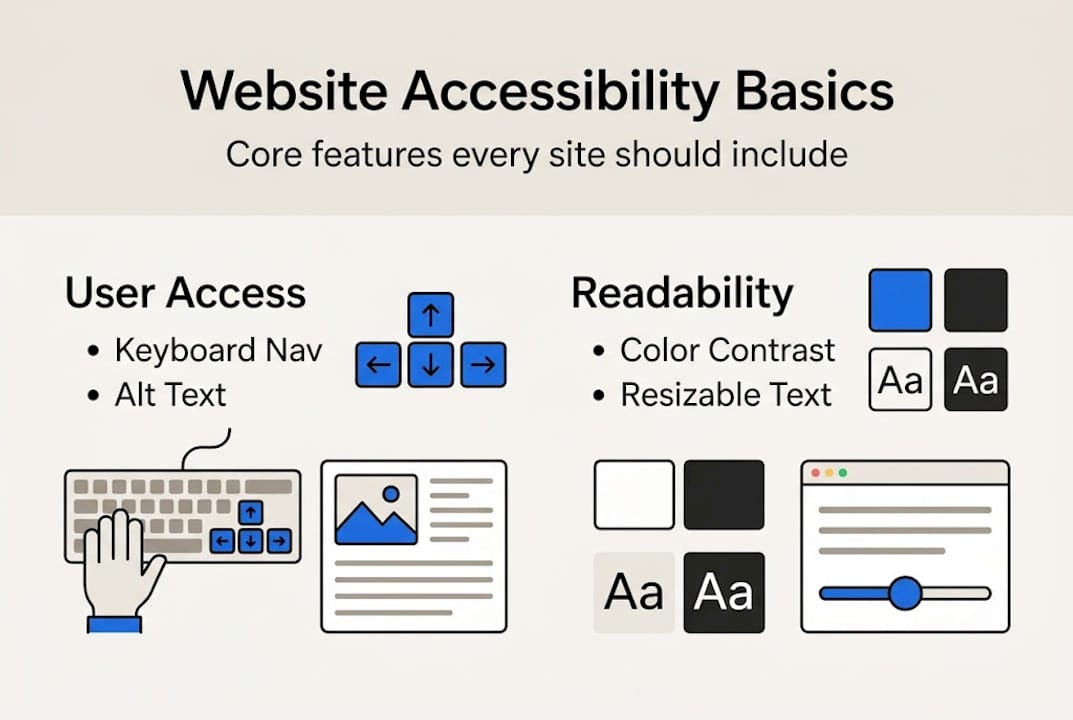
Accessible websites include keyboard navigation, alt text on images, a minimum color contrast ratio of 4.5:1, captions on video, and content that stays intact when text is resized. Each of these elements serves a specific user need.
Here are the key areas to check:
- Keyboard navigation: Every clickable element, link, form field, and button must work without a mouse. Users with motor impairments rely on the Tab key to move through a page.
- Alt text: Every image needs a text description so screen readers can communicate what's shown to visually impaired users.
- Color contrast: Text must be readable against its background. A ratio below 4.5:1 fails WCAG AA.
- Captions and transcripts: Any audio or video content needs text alternatives.
- Resizable text: Users should be able to zoom to 200% without losing content or functionality.
| Feature | What to check | Why it matters |
|---|---|---|
| Keyboard nav | Tab through the whole page | Motor-impaired users |
| Alt text | Every image has a description | Screen readers |
| Color contrast | Use a contrast checker tool | Low vision users |
| Video captions | All videos have captions | Deaf or hard of hearing users |
| Resizable text | Zoom to 200% and check layout | Low vision users |
These are modern website features that any quality site should include. The good news: many of these can be addressed through your existing content management system or with minor code changes. Combining accessibility with broader website optimization steps means you improve the experience for every visitor, not just those with disabilities.
Testing and improving accessibility: Tools, methods, and common pitfalls
Knowing the checklist is one thing. Here is how you start testing your own site, even with limited time and resources.
Hybrid testing using automated tools alongside manual checks is the most effective approach. Automated tools alone catch only up to 40% of accessibility issues. You need both.
Here's a simple process to follow:
- Run an automated scan. Use tools like axe or WAVE. They're free and flag obvious issues like missing alt text and contrast failures.
- Tab through your pages. Open your site and press Tab repeatedly. Can you reach every link, button, and form field? If your cursor disappears or jumps out of order, that's a problem.
- Test with a screen reader. Windows includes Narrator. Mac includes VoiceOver. Activate one and try to navigate your homepage.
- Check your forms. Forms are one of the most common failure points. Labels must be linked to their input fields. Error messages must be descriptive.
- Ask a real user. If you know someone who uses assistive technology, user feedback is invaluable.
Pro Tip: Don't rely on accessibility overlay plugins as your solution. They promise instant fixes but often create new barriers. They are not a substitute for real structural improvements.
Common pitfalls include missing alt text on product images, unlabeled form fields, low-contrast call-to-action buttons, and pop-ups that trap keyboard users. The SBA accessibility guide offers additional context on web accessibility expectations for businesses. Connecting testing habits to your broader website updates for SEO schedule is a smart way to keep accessibility in check over time. Your website design guide should include accessibility as a standing requirement, not an afterthought.
Accessibility as a business advantage: Market reach, inclusion, and reputation
Once you're equipped to test your site, here's why these efforts matter beyond compliance.
Making your site accessible is one of the few improvements that simultaneously expands your audience, improves your SEO, and reduces legal risk.
Accessibility fixes can be low-cost when prioritized early and deliver measurable returns by opening your site to more than a billion potential users globally. That's not a niche audience. That's a massive market most businesses overlook.
Here's what accessibility delivers for your business:
- Larger audience: People with disabilities, plus their families and caregivers, represent significant purchasing power.
- Better SEO: Search engines favor sites with clear structure, descriptive alt text, and logical heading hierarchies. These are also accessibility requirements.
- Reduced legal risk: WCAG AA compliance helps insulate you from ADA-related complaints and lawsuits.
- Stronger brand trust: An inclusive site tells customers that your business cares about people, not just transactions.
Understanding the website value for SMBs means recognizing that your website is your storefront. Accessibility keeps the door open for everyone. Pairing accessibility with responsive design and SEO creates a site that performs well on every device and for every user, regardless of ability.
Our take: What most small businesses get wrong—and what actually works
Here's the honest truth: most small businesses either ignore accessibility entirely or reach for a quick fix that doesn't actually solve the problem. Overlay widgets and accessibility plugins are everywhere, and they're largely ineffective. They sit on top of your site without fixing the underlying code. Screen reader users often find them more disruptive than helpful.
What actually works is simpler. Start with your forms, your navigation, and your color contrast. These three areas create the most friction for users and are also the easiest to fix. If you get those right, you've addressed the majority of real-world barriers your visitors face.
We've seen businesses avoid common marketing mistakes by treating accessibility as a design standard from day one rather than a retrofit. It's far less disruptive that way. Manual spot-checks and direct user feedback will tell you more than any automated report. Build testing into your regular site review cycle. Accessibility isn't a project you complete once. It's a standard you maintain. And when you approach it incrementally, it stops feeling overwhelming and starts delivering real results.
How we can help your small business website grow—accessibly
At Digital Biz Agent, we build websites for small businesses that are modern, fast, and built with accessibility in mind from the start.

Our web design and SEO services include mobile-responsive design, SEO optimization, and ongoing maintenance so your site stays current with evolving standards. We understand the critical website features that make a site work for real people in real situations. Whether you need a new site or want to improve an existing one, we offer free demos and pricing plans starting at $50/month. We're here to help you understand why your site matters and to make sure it works for everyone who visits it.
Frequently asked questions
What are the POUR principles in website accessibility?
POUR stands for Perceivable, Operable, Understandable, and Robust, four guidelines that ensure websites are usable by people with a range of disabilities.
Do small businesses really need to comply with WCAG standards?
Yes, WCAG AA conformance is advisable for small businesses because it is referenced in many legal standards and helps you avoid accessibility-related lawsuits.
Which tools can I use to test my site's accessibility?
Automated tools like axe or WAVE are a good starting point, but hybrid testing methods that include keyboard and screen reader checks are essential for thorough results.
Can accessibility improve my search engine ranking?
Yes, accessible site features like alt text, clear headings, and logical structure align with what search engines favor, which can improve your overall SEO performance.
Is accessibility expensive or hard for small businesses?
Not necessarily. Many SMBs achieve AA compliance by prioritizing the most common barriers first, which keeps costs manageable and results meaningful.