
Running a small business in Texas means competing online where every click counts. Many local owners watch competitors rank higher on Google while their own websites sit invisible, costing them customers daily. The good news? You don't need a massive budget to optimize your site for better search visibility and user experience. This guide walks you through practical, affordable steps to boost your website's performance and attract more local customers.
Table of Contents
- Prerequisites: what you need before optimizing your website
- Step 1: optimize for mobile responsiveness
- Step 2: implement local search optimization
- Step 3: enhance website performance and speed
- Step 4: optimize user experience and conversion
- Step 5: choose affordable website optimization tools and services
- Step 6: maintaining and monitoring optimization results
- Common mistakes and how to fix them
- Expected timelines and outcomes
- Get expert website design and SEO services for Texas small businesses
- Frequently asked questions
Key takeaways
| Point | Details |
|---|---|
| Mobile optimization is foundational | Responsive design improves rankings and user engagement significantly |
| Local SEO drives nearby customers | Google Business Profile optimization and Texas-specific keywords increase visibility |
| Performance impacts conversions | Faster load times reduce bounce rates and keep visitors engaged longer |
| Ongoing monitoring sustains results | Regular audits and updates maintain search rankings over time |
| Avoid common SEO mistakes | Missing meta tags and keyword stuffing can reduce visibility by 20-30% |
Prerequisites: what you need before optimizing your website
Before diving into optimization, gather the right tools and knowledge to make the process smooth and effective. You'll need access to your website's content management system or backend admin panel where you can edit pages, images, and settings. Most small business websites use platforms like WordPress, Wix, or Squarespace that provide intuitive interfaces.
Set up Google Analytics and Google Search Console immediately. These free tools show you how visitors find and use your site, revealing which pages perform well and which need work. Search Console specifically tracks your search rankings and identifies technical issues Google finds when crawling your site.
Understand basic SEO concepts relevant to Texas markets. Local search works differently than national campaigns. You'll want to know how Google prioritizes nearby businesses for location-based searches and why appearing in the local pack (those top three map results) matters tremendously for foot traffic and phone calls.
Consider your budget for affordable SEO tools or website builders with built-in optimization features. Many platforms offer monthly plans starting around $25 that include hosting, security, and basic SEO guidance. If you're starting fresh or redesigning, check out a mobile-responsive website checklist tailored for Texas businesses to ensure you cover essential elements.
Pro Tip: Create a simple spreadsheet tracking your current site metrics before starting optimization. Record your bounce rate, average page load time, and top-performing pages. This baseline helps you measure improvement accurately over the coming months.
| Essential Tool | Purpose | Cost |
|---|---|---|
| Google Analytics | Track visitor behavior and conversions | Free |
| Google Search Console | Monitor search performance and technical issues | Free |
| CMS Access | Edit website content and settings | Varies by platform |
| Page Speed Tool | Measure and improve load times | Free |
| SEO Plugin/Tool | Optimize content and meta tags | $0-$100/month |
Step 1: optimize for mobile responsiveness
Mobile devices drive over half of all web traffic in 2026, and mobile-friendly websites prioritize Google rankings, leading to 50% higher chances of first-page ranking. Start by testing your current site using Google's Mobile-Friendly Test tool. Simply enter your URL and the tool reveals whether your pages render properly on phones and tablets.
If your site fails the test, switch to a responsive design template through your CMS or website builder. Responsive themes automatically adjust layout, images, and text size based on screen dimensions. Most modern platforms include mobile preview modes so you can see exactly how pages appear on different devices before publishing changes.
Google uses mobile-first indexing, meaning it primarily evaluates and ranks your mobile site version rather than desktop. A clunky mobile experience directly hurts your search visibility regardless of how polished your desktop site looks. Focus on touch-friendly buttons, readable text without zooming, and fast-loading images optimized for cellular connections.
Beyond rankings, mobile optimization dramatically improves user engagement. Visitors stay longer, click more pages, and convert at higher rates when your site works smoothly on their phones. For detailed guidance on mobile requirements specific to Texas businesses, review this mobile-responsive website checklist.
- Test your current mobile usability with free Google tools
- Choose a responsive template or theme from your website platform
- Compress images to load quickly on cellular networks
- Ensure buttons and links are large enough for easy tapping
- Preview changes on actual mobile devices before going live
Pro Tip: Check your site on both iOS and Android devices. Sometimes formatting issues appear on one operating system but not the other, and you want to catch those before customers do.
"Mobile optimization isn't optional anymore. If your site doesn't work perfectly on phones, you're essentially closing your digital doors to half your potential customers." – Digital marketing experts consistently emphasize this reality for small businesses.
Step 2: implement local search optimization
Local SEO connects you with customers actively searching for businesses near them right now. Start by claiming and verifying your Google Business Profile, a free listing that appears in Google Maps and local search results. Fill out every field completely: business name, address, phone number, hours, services, and a detailed description using Texas-specific keywords naturally.
Incorporating location-based keywords throughout your website signals relevance to local searchers. Instead of generic terms like "plumbing services," use phrases like "emergency plumber in Lubbock Texas" or "Dallas HVAC repair." Place these naturally in page titles, headings, and body content where they genuinely fit the context.
Local SEO techniques increase visibility by up to 70% for small businesses through profile optimization and consistent local citations. Encourage satisfied customers to leave reviews on your Google Business Profile, Yelp, and industry-specific platforms. Reviews boost rankings and provide social proof that converts browsers into buyers.
Consistency across all online listings matters tremendously. Your business name, address, and phone number should match exactly everywhere they appear, from your website footer to directory listings to social media profiles. Even minor variations confuse search engines and dilute your local SEO strength.
- Claim and optimize your Google Business Profile with complete information
- Add Texas location keywords naturally throughout website content
- Build citations in local directories relevant to your industry
- Request reviews from happy customers via email or text
- Respond professionally to all reviews, positive and negative
- Keep your business hours updated, especially during holidays
- Post regular updates and offers to your Google Business Profile
- Add high-quality photos of your storefront, team, and work
- Use service area pages if you serve multiple Texas cities
For affordable help implementing these strategies, explore affordable local SEO services designed specifically for small business budgets. More detailed tactics are available through this comprehensive local SEO guide.
Key Statistic: Businesses appearing in the Google local pack receive 35% of all search clicks for location-based queries, making local optimization one of the highest-ROI activities for Texas small businesses.
Step 3: enhance website performance and speed
Page load speed directly impacts both user experience and search rankings. Optimizing website speed to under 3 seconds reduces visitor bounce rates by up to 30%, keeping potential customers engaged long enough to explore your services. Start by compressing all images using free tools like TinyPNG or built-in optimization features in your CMS.

Browser caching stores certain elements locally on visitor devices so subsequent page loads happen faster. Enable caching through your hosting provider's control panel or via plugins if you use WordPress. This simple change can cut load times in half for returning visitors.
Content delivery networks distribute your site's files across multiple servers worldwide, serving content from whichever location sits closest to each visitor. Many affordable CDN services cost less than $10 monthly and dramatically improve speed for users across Texas and beyond.
Regularly test your site speed using Google PageSpeed Insights, which provides specific recommendations for improvement. Focus first on issues marked as high priority or those affecting mobile performance most severely. Each second you shave off load time correlates with measurable increases in engagement and conversion rates.
- Compress and resize images before uploading them
- Enable browser caching through hosting settings
- Minimize JavaScript and CSS file sizes
- Consider an affordable CDN for faster content delivery
- Remove unused plugins or widgets that slow performance
Pro Tip: Schedule a monthly speed test and track your scores over time. Performance can degrade gradually as you add content, so regular monitoring catches issues before they seriously impact user experience.
"Every second of delay in page load time decreases customer satisfaction by 16% and reduces conversions by 7%. For small businesses, that's real money left on the table every single day." – Web performance research consistently demonstrates these impacts.
Explore additional performance best practices through must-have website features and Google's detailed website speed guidelines for technical implementations.
Step 4: optimize user experience and conversion
A technically sound website means nothing if visitors can't figure out how to contact you or buy your products. Simplify your navigation menu to include only essential pages: Home, Services, About, and Contact work for most small businesses. Dropdown menus are fine but keep them shallow with no more than two levels of depth.
Place clear calls to action prominently on every page. Use action-oriented language like "Get Your Free Quote" or "Schedule Your Appointment" rather than generic "Learn More" buttons. Make phone numbers clickable on mobile devices so visitors can call with one tap instead of copying and pasting.
Test your checkout process or contact forms regularly by going through them as a customer would. Note any confusing steps, required fields that aren't necessary, or error messages that don't clearly explain the problem. Every friction point costs you conversions.
Gather feedback from actual users periodically. Send a simple survey to recent customers asking about their website experience. Watch over someone's shoulder as they navigate your site for the first time. You'll spot usability issues you never noticed because you're too familiar with the layout.
- Limit navigation menus to 5-7 main items maximum
- Use contrasting colors for call-to-action buttons so they stand out
- Keep forms short, requesting only information you truly need
- Add trust signals like testimonials, certifications, and security badges
- Ensure your contact information appears in the header or footer of every page
- Audit your current navigation structure for clarity
- Review all calls to action and strengthen weak language
- Test forms and processes from a user perspective
- Add or update testimonials and social proof elements
- Implement changes based on user feedback and testing results
Pro Tip: Install a heatmap tool like Hotjar (free plan available) to see exactly where visitors click, how far they scroll, and where they abandon your site. This visual data reveals usability problems that surveys and analytics miss.
Learn more about creating conversion-focused sites through insights on website usability importance for small business success.
Step 5: choose affordable website optimization tools and services
Balancing cost with effectiveness means selecting tools that deliver results without emptying your budget. DIY SEO tools like Yoast SEO (WordPress), SEMrush (limited free plan), or Ubersuggest provide keyword research, content optimization suggestions, and basic site audits at minimal cost.
Website builders with built-in SEO features reduce time by 40% for small business owners without technical expertise. Platforms like Wix, Squarespace, and Shopify include templates optimized for search engines, automatic mobile responsiveness, and simple interfaces for managing meta tags and content.
Professional services offer deeper expertise and save you time to focus on running your business. Monthly plans starting around $25 provide ongoing optimization, content updates, and technical maintenance without the learning curve of DIY approaches. Compare what's included: hosting, security updates, SEO monitoring, and support responsiveness matter as much as the base price.
Avoid common pitfalls with automated tools that promise instant results. Search engines penalize sites using black-hat tactics like keyword stuffing, hidden text, or link schemes. Stick with legitimate optimization techniques even if they take longer to show results.
| Approach | Typical Cost | Time Investment | Best For |
|---|---|---|---|
| DIY SEO Tools | $0-$50/month | 5-10 hours/week | Owners willing to learn and experiment |
| Website Builders | $15-$50/month | 2-5 hours/week | Simple sites needing basic optimization |
| Professional Services | $25-$200/month | Minimal | Businesses wanting expert management |
| Hybrid (Tools + Consulting) | $50-$150/month | 1-3 hours/week | Owners wanting guidance while maintaining control |
- Evaluate tools based on learning curve and time commitment
- Read reviews from other small business owners before committing
- Start with free versions to test features before paying
- Ensure any tool integrates easily with your current website platform
Pro Tip: Many professional agencies offer free initial consultations or audits. Take advantage of these to understand your current state and get expert recommendations, even if you decide to implement changes yourself initially.
Explore pricing plans for SMB website services designed for Texas small businesses. For deeper context on DIY pitfalls, read about risks of DIY site builders. Additional research is available through this small business website tools report.
Step 6: maintaining and monitoring optimization results
Optimization isn't a one-time project but an ongoing process that adapts to algorithm changes and market shifts. Schedule comprehensive SEO audits every three to six months using tools like Screaming Frog or your website platform's built-in analysis features. These audits identify broken links, missing meta tags, slow pages, and other issues that accumulate over time.
Monitor your Google Analytics and Search Console data weekly at minimum. Watch for sudden traffic drops that might indicate technical problems or ranking losses. Track which keywords drive the most valuable traffic and create more content around those topics.
Update existing content regularly rather than only adding new pages. Search engines favor fresh, current information. Review your top-performing pages quarterly and add recent statistics, new examples, or expanded sections that provide additional value to readers.
Adjust your strategy based on what the data reveals. If certain pages have high traffic but low conversion rates, improve calls to action or simplify the next steps for visitors. If mobile bounce rates exceed desktop rates significantly, revisit your mobile optimization implementation.
- Perform full site audits every 3-6 months to catch technical issues
- Review analytics weekly for traffic patterns and conversion trends
- Update top-performing content quarterly with fresh information
- Test new optimization techniques on a few pages before site-wide rollout
- Document what works and what doesn't to refine your approach over time
- Set up automated alerts for significant ranking or traffic changes
- Keep a maintenance calendar to stay on schedule with updates
- Back up your site before making major changes
- Stay informed about major search algorithm updates
- Celebrate wins and learn from setbacks without getting discouraged
For guidance on avoiding issues that undermine your efforts, review common marketing mistakes that small businesses often make.
Common mistakes and how to fix them
Many Texas small business websites suffer from missing meta tags and poor keyword placement, causing an average 20-30% decrease in search visibility. Every page needs a unique title tag and meta description that includes relevant keywords naturally. Check your current pages and write compelling descriptions that encourage clicks from search results.
Keyword stuffing repels both search engines and human readers. Using your target phrase 47 times in a 500-word article triggers spam filters and creates terrible user experience. Instead, use keywords naturally a few times and focus on synonyms and related terms throughout your content.
Automated SEO tools promise easy results but often employ risky tactics that trigger penalties. Article spinners, automated link builders, and AI content that hasn't been edited all raise red flags. Use technology to assist your efforts but maintain human oversight and quality control.
Neglecting mobile usability remains surprisingly common despite mobile traffic dominance. Test your site on actual phones regularly, not just desktop browser resize tools. Real device testing catches issues that emulators miss.
- Write unique meta tags for every page, avoiding duplicates
- Use keywords naturally and focus on user value over search engines
- Review automated tool outputs before publishing or implementing
- Test mobile experience on real devices monthly
- Monitor Search Console for manual penalties or warnings
Pro Tip: Set up Google Search Console alerts to notify you immediately of critical issues like indexing problems or security concerns. Early detection prevents minor issues from becoming major ranking losses.
"The biggest SEO mistake small businesses make is chasing quick wins through shortcuts rather than building solid foundations that deliver sustainable results over time." – SEO professionals consistently warn against tactics that promise overnight success.
Avoid these issues by following essential website elements and learning from marketing mistakes to avoid. Additional troubleshooting guidance appears in SEO mistakes and solutions resources.
Expected timelines and outcomes
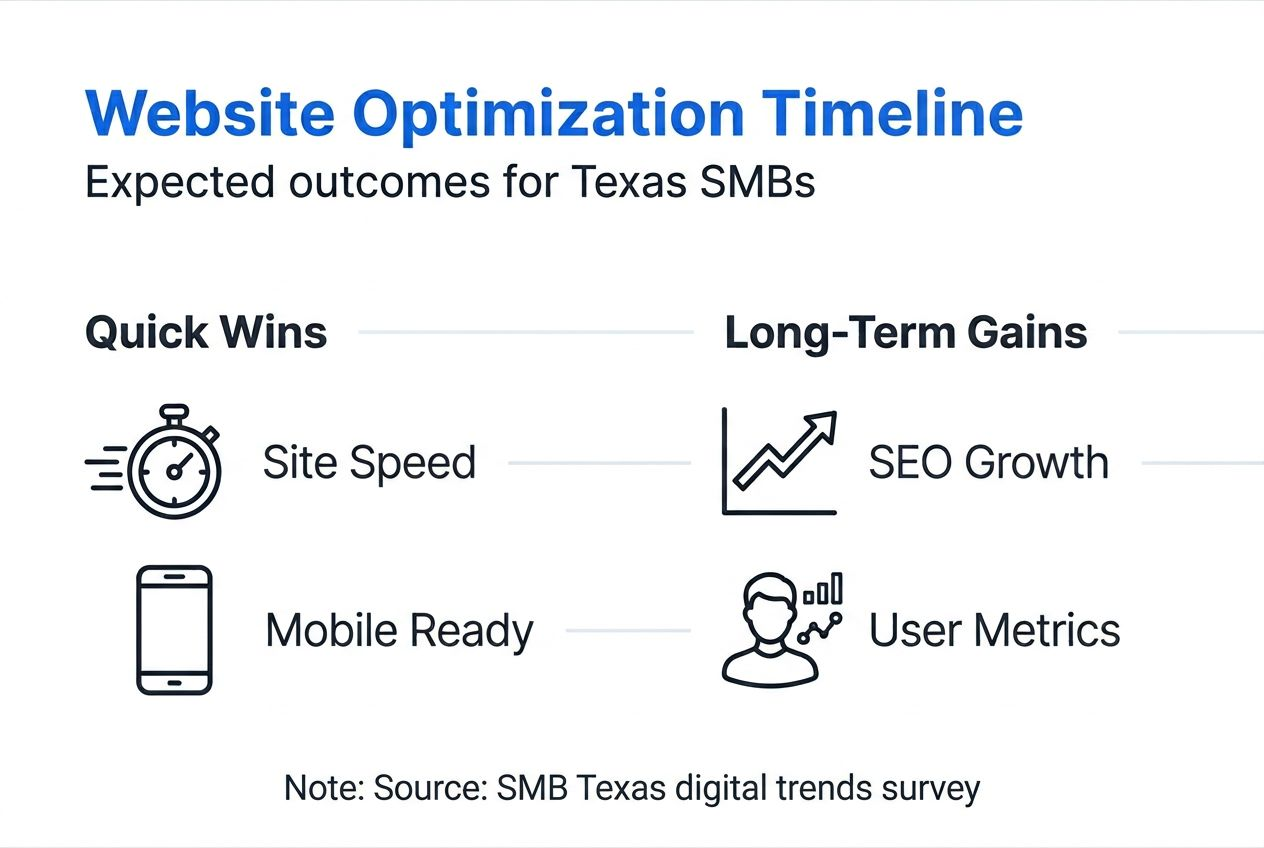
Realistic expectations help you stay motivated through the optimization process. Most SEO improvements require three to six months before showing significant ranking changes. Search engines test your site's quality over time rather than immediately rewarding new optimizations.
Some improvements deliver faster results than others. Technical fixes like improving site speed can reduce bounce rates by 30% within weeks as soon as you implement changes. Local SEO tactics like claiming your Google Business Profile often boost visibility within 30-60 days.
Local search optimization provides some of the strongest returns, potentially increasing relevant search visibility by 70% for businesses that fully optimize their profiles and maintain consistent local citations. This translates directly to more phone calls and store visits from nearby customers.
User engagement metrics typically improve by 10-20% within the first quarter after implementing UX enhancements. Visitors spend more time on site, view more pages, and complete desired actions at higher rates when navigation is clear and content matches their needs.
| Optimization Type | Typical Timeline | Expected Impact |
|---|---|---|
| Mobile Responsiveness | 1-2 weeks implementation | 50% higher ranking potential |
| Local SEO | 30-90 days | Up to 70% visibility increase |
| Site Speed | Immediate | 30% bounce rate reduction |
| Content Updates | 60-120 days | 15-25% traffic growth |
| Overall SEO Strategy | 90-180 days | First page rankings for target keywords |
Success Indicator: Steady month-over-month growth in organic traffic and local search impressions signals your optimization efforts are working. Don't expect overnight transformations, but do watch for positive trends developing over quarters rather than weeks.
Get expert website design and SEO services for Texas small businesses
Implementing these optimization steps takes time and expertise you might prefer spending on your core business. Digital Biz Agent specializes in affordable website solutions for Texas small businesses, handling all technical and SEO tasks so you can focus on serving customers.

Professional website design and SEO services start at just $25 monthly for landing pages and $50 for full websites, including hosting, maintenance, and ongoing optimization. The team understands local Texas markets and builds sites that attract nearby customers through proven local SEO strategies.
Every website includes mobile responsiveness, fast load times, and search engine optimization from launch. You'll get a modern, professional online presence without the typical agency costs or long development timelines. Explore website pricing plans designed specifically for small business budgets, or view affordable SEO services examples from Texas businesses already growing through optimized websites.
Frequently asked questions
What are the first steps for a Texas small business to start website optimization?
Begin by understanding basic SEO concepts and your local market dynamics. Access your website's content management system and set up Google Analytics plus Google Search Console to establish performance baselines. Focus initially on mobile optimization since responsive design impacts rankings significantly and Texas customers increasingly search on phones. Claim and optimize your Google Business Profile to capture local search traffic immediately. Following a structured mobile-responsive website checklist ensures you cover foundational elements before advancing to more complex strategies.
How can Texas small businesses measure the success of website optimization efforts?
Google Analytics reveals user behavior patterns including bounce rates, time on site, pages per session, and conversion completion rates. Track these metrics weekly to spot positive trends or emerging problems quickly. Google Search Console shows your search rankings, impressions, and click-through rates for specific keywords, helping you understand which optimization efforts drive the most visibility. Monitor page load speeds monthly using PageSpeed Insights since faster sites consistently perform better. Review key website metrics to understand which numbers matter most for your business goals and how to interpret changes over time.
What are the most common website optimization mistakes and how can I avoid them?
Missing or duplicate meta tags hurt search visibility significantly, so ensure every page has unique, keyword-optimized titles and descriptions. Keyword stuffing creates poor user experience and triggers spam filters, focus instead on natural language that serves readers first. Overreliance on automated SEO tools risks penalties from search engines, always review automated suggestions before implementing them. Neglecting mobile usability remains common despite mobile-first indexing, test your site regularly on actual phones. Learn from common marketing mistakes that undermine optimization work and explore detailed solutions through SEO mistakes and solutions resources.
How often should I update my small business website to maintain SEO benefits?
Conduct comprehensive SEO audits every three to six months to identify technical issues, broken links, and optimization opportunities. Update your top-performing content quarterly with fresh statistics, new examples, or expanded information that adds value for readers. Monitor analytics and Search Console data weekly to catch problems early before they significantly impact traffic. Search algorithms evolve continuously, so periodic reviews ensure your site adapts to new ranking factors. Consider how frequently your industry and competitors publish content, matching or exceeding their update pace keeps you competitive. Review guidance on website redesign frequency to understand when minor updates suffice versus when major overhauls become necessary for sustained performance.
Recommended
- Mobile-responsive website checklist for Texas businesses 2026
- Modern website features list: 30% more engagement for SMBs
- 8 Things Every Small Business Website Needs - JAMES PEREZ
- Professional Website Design for Small Businesses Starting at $25/Month
- Checklista tworzenia strony www 2026 dla małych firm – Publikacje eksperckie dotyczące stron www i rozwiązań webowych