
Your website loses customers every day if it's not mobile-friendly. Over 70% of small business web traffic now comes from smartphones, yet many Texas businesses still cling to outdated designs that frustrate visitors. This guide walks you through creating an affordable, modern, mobile-responsive website with bilingual support that you can manage yourself, covering everything from design principles to launch day testing.
Table of Contents
- Understanding why mobile-first and responsive design matter
- Preparing your website: tools, technology, and bilingual needs
- Executing effective website design: speed, security, and user experience
- Verifying your website: testing, common mistakes, and measuring success
- Explore professional website design services tailored for Texas small businesses
- Frequently asked questions
Key takeaways
| Point | Details |
|---|---|
| Mobile-first design drives conversions | Designing for smartphones first, then scaling up, captures the majority of your Texas audience and boosts engagement. |
| Easy CMS tools empower owners | Platforms like WordPress let you update content without coding, saving time and money on developer fees. |
| Speed and security build trust | Fast-loading, secure sites rank higher in search results and convert more visitors into paying customers. |
| Bilingual support expands reach | Offering English and Spanish connects you with Texas' diverse market and nearby Mexico audiences. |
Understanding why mobile-first and responsive design matter
Mobile-first design means building your site for small screens initially, then adapting for tablets and desktops. This approach prioritizes the experience for the majority of your visitors who browse on phones. Responsive design takes this further by using flexible layouts that automatically adjust to any screen size, ensuring your content looks great everywhere.
Ignoring mobile responsiveness costs you real money. Sites that don't adapt to mobile screens see visitors leave within seconds, driving up bounce rates and tanking your search rankings. Mobile-responsive website checklist texas businesses 2026 provides actionable steps to avoid these pitfalls.
Google now prioritizes mobile-friendly sites in search results, meaning a desktop-only site literally won't show up when potential customers search for your services. You maintain one codebase instead of separate mobile and desktop versions, cutting development time and ongoing maintenance costs in half.
Consider these mobile-first essentials:
- Design navigation for thumbs, not mouse clicks
- Make buttons large enough to tap easily (minimum 44x44 pixels)
- Keep forms short and use autofill features
- Test on actual devices, not just browser emulators
Pro Tip: Use Google's Mobile-Friendly Test tool to scan your site instantly and get specific fixes for any mobile usability issues holding back your rankings.
The 8 things every small business website needs guide emphasizes that responsive layouts aren't optional anymore. They're the baseline for staying competitive in Texas markets where customers expect seamless experiences whether they're searching from their truck or their office.
Preparing your website: tools, technology, and bilingual needs
Choosing the right technology stack prevents headaches down the road. Stick with modern standards: HTML5, CSS3, and JavaScript ensure compatibility across all browsers and devices. These technologies replaced outdated Flash years ago and work seamlessly on mobile.
A content management system transforms your website from a static brochure into a living marketing tool. WordPress enables easy updates without touching code, letting you add blog posts, update prices, or swap photos in minutes. Other solid options include Wix for extreme simplicity or Webflow for more design control.
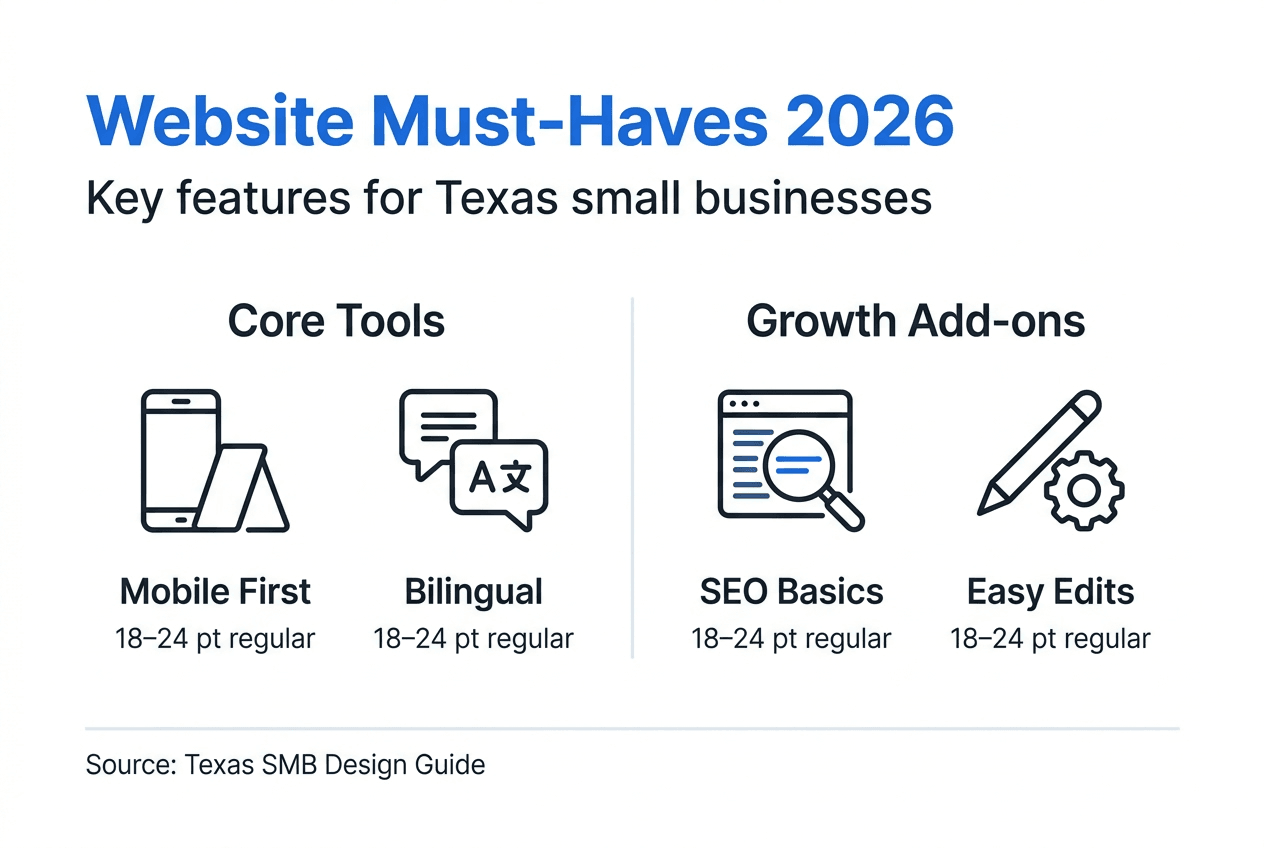
Bilingual websites connect with visitors from Texas' Spanish-speaking communities and across the border in Mexico. This isn't just translation; it's about creating parallel experiences that feel natural in both languages. Your CMS should support language switchers and separate content trees for English and Spanish.
| CMS Platform | Ease of Use | Bilingual Support | Best For |
|---|---|---|---|
| WordPress | Moderate | Excellent (WPML plugin) | Businesses wanting full control and scalability |
| Wix | Very Easy | Good (built-in) | Quick launches with minimal technical skills |
| Webflow | Moderate | Good (Weglot integration) | Design-focused businesses needing custom layouts |
| Shopify | Easy | Excellent (native) | E-commerce stores selling products online |
Accessibility expands your reach beyond legal compliance. Use descriptive alt text for images so screen readers can describe visuals to blind users. Maintain color contrast ratios of at least 4.5:1 for text readability. Structure content with proper HTML headings (H1, H2, H3) instead of just making text bigger and bold.
Key preparation steps:
- Choose a CMS that matches your technical comfort level
- Verify bilingual plugin compatibility before committing
- Map out your site structure in both languages
- Gather all content, images, and branding assets
Pro Tip: Start with a bilingual landing page to test market response before translating your entire site, saving time and budget while gathering real user data.
The build small business website texas 2026 resource dives deeper into selecting the right tech stack for your specific business needs and budget constraints.
Executing effective website design: speed, security, and user experience
Site speed directly impacts your bottom line. A one-second delay cuts conversions by 7%, meaning slow pages literally cost you customers. Google also ranks faster sites higher, creating a compound effect on your visibility and sales.
Optimize images before uploading by compressing them to web-friendly sizes without losing visual quality. Tools like TinyPNG or built-in CMS compressors reduce file sizes by 70% or more. Enable browser caching so returning visitors load your site instantly instead of downloading everything again. Minimize HTTP requests by combining CSS files and removing unnecessary plugins.
Security builds trust and protects your business. Install an SSL certificate to enable HTTPS encryption, showing that padlock icon browsers display for secure sites. Update your CMS, themes, and plugins regularly since outdated software creates vulnerabilities hackers exploit. Use strong, unique passwords and consider two-factor authentication for admin access.
User experience optimization checklist:
- Create a clear navigation menu with 5-7 main items maximum
- Use readable fonts at minimum 16px size for body text
- Break content into scannable chunks with descriptive subheadings
- Place your most important call-to-action above the fold
- Include contact information in your header and footer
- Add social proof like testimonials or client logos
- Ensure clickable elements have enough spacing to prevent mis-taps
Page builders and optimized templates accelerate development without sacrificing quality. Many premium WordPress themes include built-in speed optimization and security features, letting you skip technical configurations. Just avoid bloated themes packed with features you'll never use.
Pro Tip: Run your site through Google PageSpeed Insights after launch and implement their specific recommendations, prioritizing fixes marked as high impact for the biggest speed gains.
The affordable website optimization steps texas smbs guide provides detailed instructions for implementing these performance improvements without hiring expensive developers.
Verifying your website: testing, common mistakes, and measuring success
Thorough testing prevents embarrassing launch day disasters. Check loading speed using Google PageSpeed Insights and aim for scores above 80 on mobile. Test responsive behavior by physically viewing your site on actual smartphones, tablets, and desktop computers in different browsers (Chrome, Safari, Firefox, Edge).
Run security scans through free tools like Sucuri SiteCheck to identify vulnerabilities before hackers do. Verify bilingual functionality by clicking through every page in both languages, confirming translations display correctly and language switchers work properly. Test all forms by submitting them yourself and ensuring you receive the confirmation emails.
Common launch mistakes that kill traffic:
- Forgetting to remove "noindex" tags that block search engines
- Leaving placeholder "Lorem ipsum" text in live pages
- Skipping mobile testing and discovering broken layouts after launch
- Ignoring accessibility by using images for text instead of actual text
- Neglecting to set up Google Analytics before promoting the site
Measure success through specific metrics rather than vanity numbers. Track conversion rate (percentage of visitors who contact you or buy), average session duration (how long people stay), and bounce rate (percentage who leave immediately). Use Google Analytics to monitor these metrics weekly and identify pages that need improvement.
| Approach | Pros | Cons | Best For |
|---|---|---|---|
| DIY Website | Lower upfront cost, full control, learn valuable skills | Time-intensive, steep learning curve, potential technical issues | Budget-conscious owners with time to learn |
| Professional Services | Expert execution, faster launch, ongoing support included | Higher initial investment, less hands-on control | Businesses prioritizing speed and quality over cost |
Monitor your search ranking positions for key terms like "[your service] Lubbock" or "[your service] Texas" monthly. Rising rankings indicate your SEO efforts are working. Set up Google Search Console to catch crawl errors and security issues automatically.
The 7 reasons why small business websites are vital article reinforces why thorough testing and measurement matter for long-term business growth and customer acquisition.
Explore professional website design services tailored for Texas small businesses

Building your website yourself teaches valuable skills, but partnering with experienced professionals accelerates results. Digital Biz Agent specializes in creating mobile-responsive, SEO-optimized websites for Texas small businesses, handling everything from design to hosting. Plans start at just $25/month for landing pages and $50/month for full websites, including ongoing maintenance and security updates.
Our website design & SEO services combine bilingual support with modern design principles, ensuring your site connects with diverse Texas audiences. We follow the same optimization strategies outlined in this guide while managing technical complexities behind the scenes. Explore our breakdown of 8 essential website elements that drive conversions for local businesses.
Wondering if your current site needs a refresh? Our website redesign frequency guide helps you evaluate whether updates would boost your results. We offer free initial demos so you can see your new site before committing, with launches possible in as little as one week.
Frequently asked questions
What is the most important feature of a small business website?
Mobile responsiveness ranks as the single most critical feature since over 70% of your potential customers browse on smartphones. A site that doesn't adapt to mobile screens loses visitors immediately and tanks your search rankings. Focus on mobile-first design before adding any other features.
How does a CMS help non-technical business owners?
Content management systems like WordPress let you update text, images, and pages through simple visual editors without touching code. You can add blog posts, change prices, or update hours in minutes instead of waiting for a developer. This independence saves recurring fees and keeps your content fresh.
Why should Texas businesses offer bilingual websites?
Texas has the second-largest Spanish-speaking population in the United States, and bilingual sites tap into this massive market segment. Offering Spanish content shows respect for cultural diversity and opens opportunities with customers in nearby Mexico. It's a competitive advantage most small businesses overlook.
What security measures protect small business websites?
Install an SSL certificate for HTTPS encryption, update your CMS and plugins monthly, and use strong unique passwords with two-factor authentication. Run regular security scans through tools like Sucuri and keep daily backups stored off-site. These five steps prevent 95% of common website attacks.
How do I test if my website is truly mobile-friendly?
Use Google's Mobile-Friendly Test tool for an instant automated check, then physically test on actual smartphones and tablets in both portrait and landscape modes. Click every button, fill out forms, and navigate through all pages. Real device testing catches issues automated tools miss.
What metrics indicate my website is successful?
Track conversion rate (visitors who contact you or buy), average session duration above 2 minutes, and bounce rate below 50%. Monitor your Google ranking positions for key local search terms monthly. Rising conversions and rankings prove your site effectively attracts and engages your target audience.