
TL;DR:
- Regular website maintenance is essential for security, SEO, and customer trust.
- Preparation and consistent task execution prevent errors and ensure site performance.
- Professional support can save time and reduce risks for small business websites.
A slow, broken, or outdated website can quietly cost you customers before they ever contact you. Neglected websites drive away potential buyers who expect fast, functional, and trustworthy pages. For small business owners in Lubbock, Texas, keeping your site in good shape is not optional. It is a direct factor in whether people call you or call your competitor. This guide walks you through every stage of the website maintenance process, from understanding what it involves to executing tasks and verifying your results.
Table of Contents
- Understanding website maintenance: What, why, and how often
- Preparing for maintenance: Tools, access, and resources
- Executing website maintenance: Core tasks in detail
- Verifying and improving: Testing, monitoring, and troubleshooting
- What most experts miss about website maintenance for small businesses
- Get professional website maintenance support in Lubbock
- Frequently asked questions
Key Takeaways
| Point | Details |
|---|---|
| Maintenance protects revenue | Consistent website upkeep keeps customers engaged and prevents lost sales from outages or security issues. |
| Prepare before changes | Always back up your site, gather logins, and get tools ready before beginning maintenance. |
| Follow a step-by-step approach | Clear, systematic tasks help ensure a smooth and successful website maintenance process. |
| Verify and monitor routinely | Testing and monitoring after updates help catch issues early and maintain site quality. |
Understanding website maintenance: What, why, and how often
Website maintenance covers every routine action you take to keep your site running correctly. It includes software updates, content reviews, security checks, performance monitoring, and bug fixes. Many small business owners think of maintenance as a one-time task. It is not. It is an ongoing process, similar to maintaining a storefront. You would not let your physical location fall into disrepair, and your website deserves the same attention.
Why does it matter so much? Because regular updates boost site security and SEO rankings at the same time. Search engines like Google favor sites that are actively maintained, load quickly, and contain accurate information. If your site has broken links, outdated prices, or unpatched software, your ranking drops and customers lose confidence.
Knowing the signs you need a new website versus signs you just need better maintenance can save you thousands. Not every problem requires a full rebuild. Most issues are preventable with a consistent schedule.
Here is a simple maintenance schedule to follow:
| Frequency | Task |
|---|---|
| Weekly | Check uptime, review spam filters, scan for errors |
| Monthly | Update plugins/software, run backups, review analytics |
| Quarterly | Audit content, test all forms, check page speed |
| Annually | Full security audit, review design, update business info |
Key maintenance tasks to keep on your radar:
- Software and plugin updates
- Full site backups
- Broken link checks
- Security scans
- Content accuracy reviews
- Mobile responsiveness testing
- Page speed checks
Pro Tip: Set a recurring calendar reminder for monthly maintenance. Treating it like a business appointment makes it far less likely to get skipped.
Understanding why small business websites matter gives you the motivation to stay consistent. Your site works for you around the clock. Keeping it healthy is one of the highest-return habits you can build.
Preparing for maintenance: Tools, access, and resources
Before you touch anything on your site, preparation is essential. Jumping into updates without the right setup is one of the most common ways small business owners accidentally break something. A little prep work prevents a lot of headaches.
Start by gathering everything you need. Preparation reduces errors during website updates, and having your resources ready before you begin is the first step. Here is what to have on hand:
- Admin login credentials for your website platform
- Hosting account access
- FTP or file manager access (if applicable)
- A working backup of your current site
- Access to Google Analytics or your preferred analytics tool
- Your domain registrar login
- A staging environment (a test copy of your site) if possible
Next, choose the right tools. Not all maintenance tools are equal. Here is a quick comparison of common options:
| Tool | Best for | Cost |
|---|---|---|
| UpdraftPlus | WordPress backups | Free/Paid |
| Wordfence | Security scanning | Free/Paid |
| Google Search Console | SEO and error monitoring | Free |
| GTmetrix | Page speed testing | Free/Paid |
| ManageWP | Multi-site management | Paid |
Review your website essentials checklist to confirm your site has all the foundational elements in place before you start making changes. Missing basics can amplify the impact of any errors you introduce during updates.
Backups deserve special attention. Always create a fresh backup immediately before any update or change. Store it somewhere outside your hosting server, such as a cloud service or local drive. If an update breaks your site, a recent backup is your fastest path to recovery.

For more context on setting up a well-optimized site environment, website optimization tips can help you understand what a properly configured site looks like before and after maintenance.
Pro Tip: Use a simple spreadsheet to track your login credentials and backup locations. Keep it secure but accessible so you are never hunting for information mid-maintenance.
Executing website maintenance: Core tasks in detail
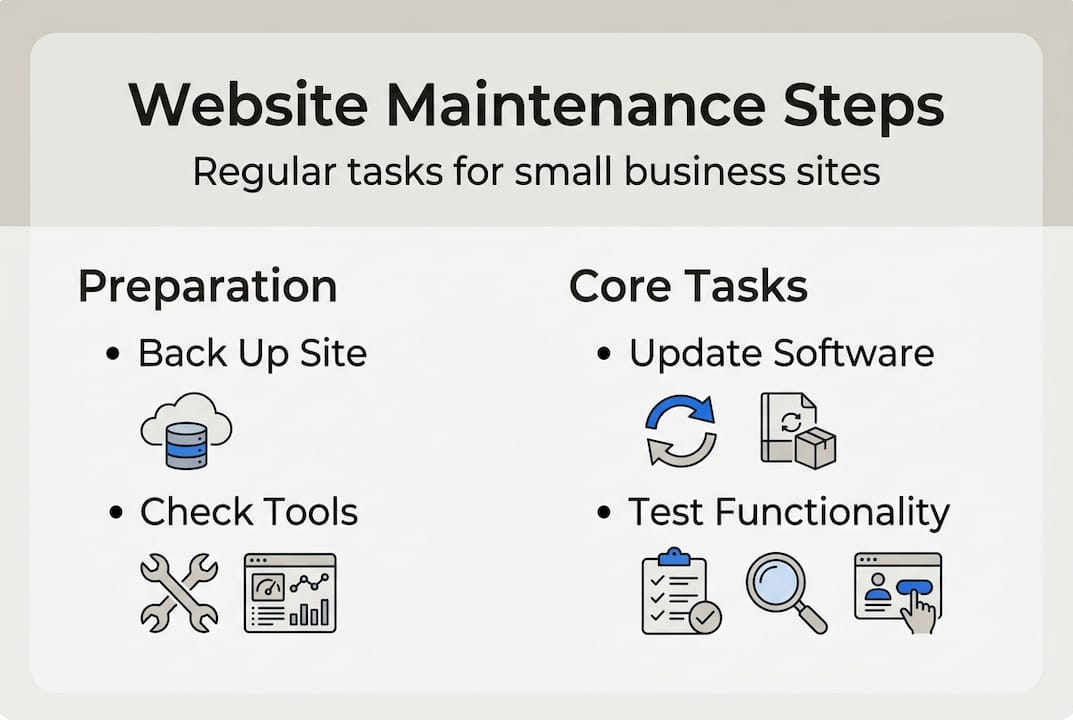
Now comes the hands-on work. Follow these steps in order to keep your site secure, fast, and accurate. Skipping steps or doing them out of sequence can create new problems.
- Create a full backup. Before anything else, back up your entire site including files and database. Confirm the backup completed successfully.
- Update your CMS, plugins, and themes. Log into your platform and apply all available updates. Do them one at a time if possible, checking for issues after each one.
- Test your site after updates. Click through your main pages, test your contact forms, and confirm your checkout process works if you sell online.
- Run a security scan. Use a tool like Wordfence or Sucuri to scan for malware, vulnerabilities, and unauthorized file changes.
- Check for broken links. Use a free tool like Broken Link Checker to find and fix any dead links on your pages.
- Review and update content. Check that your hours, pricing, services, and contact info are current. Outdated content confuses customers and hurts your credibility.
- Test mobile responsiveness. Open your site on a phone and tablet to confirm everything displays and functions correctly.
- Review page speed. Run your site through GTmetrix or Google PageSpeed Insights and address any flagged issues.
As a small business optimization guide explains, step-by-step task completion ensures nothing vital gets missed. A checklist approach keeps you organized and accountable.
"Your website is your most available employee. Keep it performing at its best by treating maintenance as a non-negotiable business task, not an afterthought."
Pro Tip: After updates, clear your browser cache before testing. Cached pages can make your site look broken even when it is working fine.
For ongoing improvements beyond basic upkeep, explore ways to improve your local SEO alongside your maintenance routine. Fresh content and technical health work together to push your site higher in local search results. You can also browse affordable design ideas to keep your site looking modern without a full redesign.
Verifying and improving: Testing, monitoring, and troubleshooting
Completing your maintenance tasks is only part of the job. Verifying that everything still works correctly is just as important. This step catches issues before your customers do.
Start with a quality assurance checklist after every maintenance session:
- All pages load without errors
- Contact forms submit and deliver correctly
- Images display properly across devices
- Navigation menus work on desktop and mobile
- Site speed meets acceptable benchmarks (under 3 seconds)
- SSL certificate is active (look for the padlock in the browser)
- No console errors appear in your browser developer tools
Regular testing reduces downtime and preserves customer trust over time. A site that goes down or behaves erratically after an update can damage your reputation quickly.
Set up ongoing monitoring so you are alerted to problems between maintenance sessions:
| Tool | What it monitors | Alert type |
|---|---|---|
| UptimeRobot | Site uptime/downtime | Email/SMS |
| Google Search Console | Crawl errors, manual actions | |
| Google Analytics | Traffic drops | Custom alerts |
| Wordfence | Security threats |
Common issues and quick fixes:
- White screen after update: Deactivate the last plugin or theme updated
- Broken layout: Clear cache and check for CSS conflicts
- Form not sending: Check email settings and spam filters
- Slow load times: Compress images and enable caching
Pro Tip: Screenshot your site before and after every maintenance session. Visual records help you spot unexpected changes fast.
For guidance on building a site that holds up well through regular maintenance, review client-focused web design tips built specifically for Lubbock businesses. A well-structured site is simply easier to maintain.
What most experts miss about website maintenance for small businesses
Most guides treat maintenance as a technical checklist. Run the backup, update the plugins, check the speed. Done. But that framing misses the bigger picture entirely.
Your website is a trust signal. When customers in Lubbock visit your site and find it fast, accurate, and easy to use, they form an impression of your business before they ever speak to you. A well-maintained site says you are reliable, detail-oriented, and professional. A neglected one says the opposite.
The businesses that stand out in competitive local markets are not just the ones with the best products. They are the ones with consistent, visible credibility. Your site is part of that credibility every single day.
Maintenance is also a growth tool. Every time you update content, fix an error, or improve load speed, you are incrementally building a stronger digital presence. Those small improvements compound over months and years.
Make sure your site has all the essential website features that customers expect. Maintenance keeps those features working. But the real goal is not just a functional site. It is a site that earns trust and converts visitors into paying customers.
Get professional website maintenance support in Lubbock
Handling website maintenance on your own is absolutely possible. But it takes time, attention, and a willingness to troubleshoot when things go wrong. For many small business owners in Lubbock, that time is better spent running the business.

At Digital Biz Agent, we offer affordable website design and SEO services built specifically for small businesses like yours. Our maintenance support keeps your site secure, updated, and performing well without pulling you away from your customers. Starting at $50 per month, you get ongoing management without the stress. Review our website essentials for businesses to see what a properly maintained site should include. We handle the technical work so you can focus on growth.
Frequently asked questions
How often should I update my small business website?
Monthly software updates and quarterly content reviews are the ideal baseline to keep your site secure and relevant in search results.
Do I need to back up my site before every maintenance session?
Yes, always create a backup before making changes. Site backups are crucial before maintenance because they give you a restore point if anything breaks.
Can I handle website maintenance myself or do I need a professional?
You can manage basic tasks yourself, but professionals reduce risk and save time if you are unsure about technical updates or simply too busy to stay consistent.
What are common mistakes in website maintenance?
Neglecting maintenance risks your site's performance. The most common mistakes are skipping backups, ignoring plugin updates, and leaving broken links or outdated content unaddressed.
Recommended
- Affordable website optimization steps for Texas SMBs
- Local business website workflow: quick, affordable steps for Lubbock SMBs
- Website design for Texas small businesses: 7 key steps
- Website design process for Texas small businesses 2026
- Enterprise website maintenance guide for marketing autonomy 2026 - 40Q
- How to Optimise Professional Website for UK SMEs - Kefihub