
Most small business owners assume a beautiful website automatically brings in customers. It does not. Usability tests with 5 users can uncover 85% of website problems, which means a site that looks polished can still drive visitors away if it is hard to use. For Lubbock small businesses competing for local attention, the difference between a site that converts and one that just sits there often comes down to one thing: whether it was built for your clients or built for appearances. This guide covers what client-focused web design means, how to apply it affordably, and why it matters for your bottom line.
Table of Contents
- What is client-focused web design?
- Core practices of client-focused web design
- Features that drive results for small businesses
- How to apply client-focused design affordably
- Ongoing improvement: Client feedback and iteration
- A fresh perspective: Why most small business sites miss the mark
- Ready to build a results-driven website?
- Frequently asked questions
Key Takeaways
| Point | Details |
|---|---|
| Prioritize user needs | Design your website around what real visitors want to accomplish, not just company features. |
| Affordable practical tools | Small businesses can apply client-focused methods using free or low-cost resources and simple usability tests. |
| Test and iterate | Use feedback and regular updates to keep your site effective for clients over time. |
| Mobile-first multiplies success | Mobile-friendly, fast-loading sites drive more leads and improved engagement for Lubbock small businesses. |
What is client-focused web design?
Client-focused web design means building your website around the real needs, tasks, and goals of the people visiting it. It is not about making something that looks impressive in a portfolio. It is about making something that works for your actual customers.
This approach is different from product-centric design, which tends to highlight company features, awards, and services without asking what the visitor actually needs to do. Client-focused design addresses user pain points and goals rather than just showcasing features, and measures satisfaction and task completion rather than only page views.
Here is what that looks like in practice:
- Research first. Talk to your customers before you design anything. What questions do they have? What problems are they trying to solve?
- Feedback loops. After launch, collect data and opinions. Adjust based on what you learn.
- Iterative improvements. Small, regular updates beat one big redesign every five years.
- Clear goals. Every page should have a purpose: book an appointment, call now, fill out a form.
"The ultimate goal of client-focused design is not page views. It is conversion, satisfaction, and real business outcomes."
For Lubbock business owners, this means your website should answer the visitor's question within seconds. If someone lands on your plumbing site, they should see a phone number and a service area immediately, not a paragraph about your company history. Our Texas web design guide goes deeper on local market expectations, and you can also review the must-have website features every small business site should include.
Core practices of client-focused web design
Now that you understand the philosophy, here is how it is put into practice, step by step.
Core methodologies include user research such as interviews, surveys, and personas, empathy mapping, iterative prototyping and testing, journey mapping, and continuous feedback loops based on ISO 9241-210 Human-Centered Design standards. That sounds technical, but the basics are accessible to any small business owner.
- User research. Ask five to ten real customers what they want from your website. A short phone call or a simple survey works fine.
- Empathy mapping. Write down what your customer thinks, feels, and needs when they visit your site. This keeps your decisions grounded in reality.
- Prototyping. Sketch or wireframe your pages before building them. Free tools like Figma let you do this without coding.
- Usability testing. Show your prototype to five real users. Watch where they get confused. Fix those spots.
- Journey mapping. Map out every step a visitor takes from landing on your homepage to contacting you. Remove friction at each step.
- Feedback loops. Use Google Analytics to track what pages visitors leave quickly. Those are your problem areas.
Statistic to know: Testing with just five users catches the majority of usability problems on a site. You do not need a big budget or a research team.
Pro Tip: Start with Google Analytics and one short customer survey before you redesign anything. You will learn more from five real responses than from guessing. Our guide to web design terminology can help you understand the language designers use, and if you want a tailored approach, see our work on custom web design for Texas small businesses.
Features that drive results for small businesses
With the methods in mind, it is time to translate them into tangible website features that get real business results.
Key practices include mobile-first responsive design, fast loading, clear visual hierarchy, accessibility following WCAG and semantic HTML standards, and trust signals such as social proof. These are not optional extras. They are the foundation.
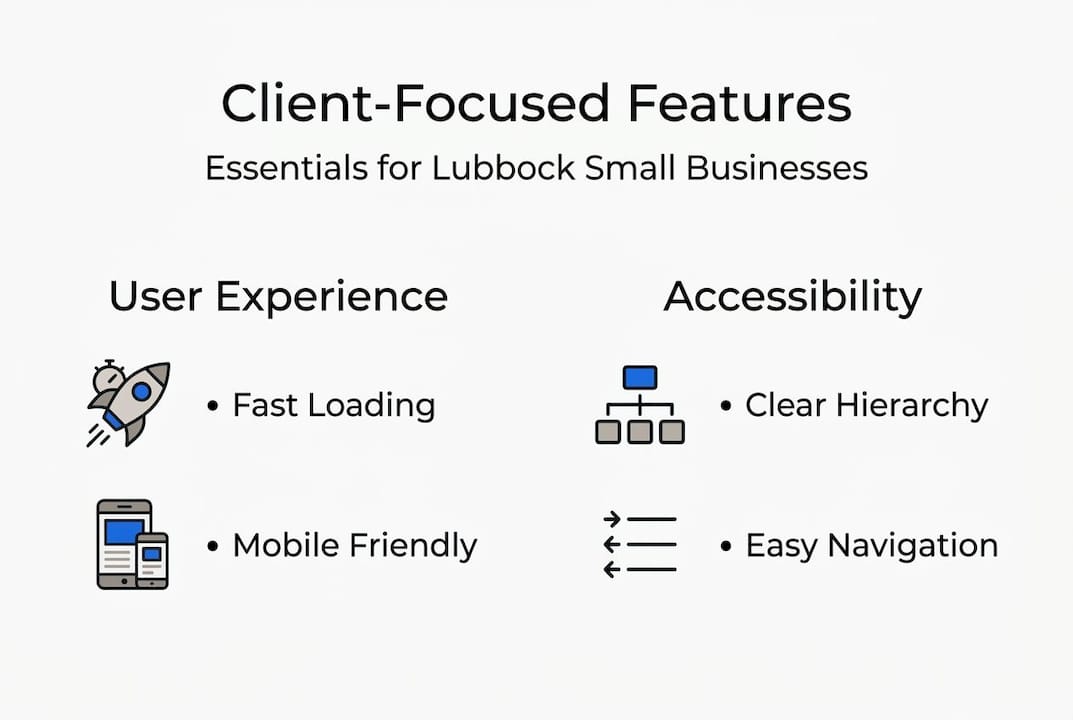
Here is a quick comparison of client-focused features versus brochureware:
| Feature | Client-focused | Brochureware |
|---|---|---|
| Homepage goal | Clear call to action | Company introduction |
| Mobile design | Built for phones first | Desktop only |
| Load speed | Under 3 seconds | Often slow |
| Trust signals | Reviews, testimonials | Awards, history |
| Navigation | Simple, task-based | Feature-heavy menus |
| Contact options | Phone, form, map visible | Buried in footer |
For Lubbock businesses, trust signals matter a lot. Local customers want to know you are real, nearby, and reliable. Here are the ones that work best:
- Google reviews displayed on your homepage
- Customer testimonials with names and photos
- Before and after photos for service businesses
- Your physical address and local phone number
- A short team bio so visitors know who they are dealing with
Mobile-first design is not a trend. Most local searches happen on a phone. If your site is slow or hard to tap on a small screen, you are losing leads every day. Explore our list of modern website features to see what is working for Texas small businesses right now.

How to apply client-focused design affordably
Understanding the right features is one thing. Putting them into action affordably is the next big step for real-world impact.
Affordable options for Lubbock small businesses include starting with free or low-cost tools like Figma and Google Analytics, running five-user testing sessions, and using mobile-first templates. The focus should stay on business outcomes, not flashy design.
Here is a simple cost comparison to guide your budget:
| Approach | Estimated cost | Best for |
|---|---|---|
| DIY with template | $0 to $30/month | Very early stage |
| Managed website plan | $25 to $50/month | Growing businesses |
| Custom agency build | $3,000 to $10,000+ | Established brands |
| Freelancer redesign | $500 to $2,000 | One-time updates |
Follow these steps to get started without overspending:
- Set one primary goal. Do you want phone calls, form submissions, or online orders? Pick one and design around it.
- Choose three to five key features. Do not try to add everything at once. Start with contact info, services, and reviews.
- Run a five-user test. Ask friends, family, or loyal customers to find your phone number on your site. Time them. If it takes more than ten seconds, fix the layout.
- Launch and gather feedback. Use a short pop-up survey or a follow-up email to ask new customers how they found you and what they thought of your site.
- Iterate every quarter. Make small improvements based on what you learn. Do not wait for a full redesign.
Pro Tip: A mobile-first template from a trusted platform costs far less than a custom build and still delivers a professional result. Pair it with our affordable website optimization steps and our website optimization guide to get the most from every dollar.
Ongoing improvement: Client feedback and iteration
Once your site is live, maintaining its effectiveness depends on an ongoing improvement mindset.
Post-launch iteration is essential for sustained results, and accessibility improvements benefit all users, not just those with disabilities. A site that worked well at launch can become outdated within a year if you ignore it.
Here are the best feedback channels for small businesses:
- Short on-site surveys. Ask one question: "Did you find what you were looking for?" A yes or no answer tells you a lot.
- Google Analytics. Watch your bounce rate and exit pages. High exits on your contact page mean something is broken.
- Customer reviews. Read what people say about your business online. Complaints about hard-to-find info are website problems in disguise.
- User session recordings. Tools like Microsoft Clarity show you where visitors click and scroll. Free to use.
- A/B testing. Try two versions of a headline or button color. See which one gets more clicks.
"Scheduling a quarterly website review is one of the highest-return habits a small business owner can build."
Accessibility is also an ongoing job. Adding alt text to new images, checking color contrast, and making sure forms work with a keyboard are small tasks that add up to a better experience for everyone. Check our guide on website redesign frequency to know when a full update makes sense versus a series of small fixes.
A fresh perspective: Why most small business sites miss the mark
Having discussed implementation and iteration, let us address a common myth in small business website strategy.
Most Lubbock small business websites fall into what we call the brochureware trap. They list services, show a logo, and describe the company. That is it. No clear action for the visitor. No trust signals. No mobile optimization. Just a digital version of a printed flyer.
The temptation to copy big brand designs is real. You see a sleek national competitor and think you need the same look. But big brands have massive audiences who already trust them. You do not have that yet. Copying their style without their reputation just creates a confusing site that does not speak to your local Lubbock customer.
A purely product-centric mindset leads to brochureware. Only solving real client problems creates value. Success for a small business website is not about winning a design award. It is about more calls, more booked appointments, and more happy clients. The businesses that win online are the ones that test, listen, and adjust. They treat their website like a sales tool, not a trophy. See why websites are vital for small businesses and what that really means in practice.
Ready to build a results-driven website?
Client-focused web design is not a luxury for big companies. It is the most practical approach for any Lubbock small business that wants real results from its website.

At Digital Biz Agent, we build websites around your clients' needs, not just your preferences. Our plans start at $25/month, include mobile-first design, and come with ongoing support so your site keeps working for you. You can browse our affordable web design services to see what fits your business, check out website examples from businesses like yours, or review our website pricing plans to find the right starting point. We offer a free demo so you can see your site before you commit to anything.
Frequently asked questions
How does client-focused web design differ from traditional design?
Client-focused design centers on real user goals and task completion, while traditional design often emphasizes company features and visual appeal. The key difference is what you measure: satisfaction and conversions versus page views.
What is the most affordable way to start client-focused web design?
Start with a mobile-first template, run simple usability tests with five users, and use free tools like Google Analytics and Figma to gather feedback and spot problems early.
How often should I update my website after launch?
You should review user feedback regularly and aim for meaningful site improvements every 6 to 12 months. Small fixes based on analytics should happen more frequently, ideally every quarter.
Why is mobile-first design important for small businesses?
Mobile-first responsive design ensures your site works well for the majority of visitors who browse on their phones, leading to better engagement, lower bounce rates, and more leads.