TL;DR:
- Small businesses in Lubbock need fast, modern, bilingual websites to attract leads and stay competitive.
- A structured 6-week agency workflow ensures a timely, SEO-optimized launch with clear approvals.
- Tracking metrics and continuous updates post-launch are essential for boosting leads and maintaining site performance.
Most small businesses in Lubbock are losing leads right now because their website is slow, outdated, or only speaks to half their customers. A bilingual, mobile-ready site is no longer optional. It's the baseline. This guide walks you through a proven, step-by-step workflow to launch a modern, affordable website in weeks, not months. You'll learn what to prepare, how to manage each phase, how to add Spanish language support without doubling your workload, and what to track after launch. Whether you're starting from scratch or rebuilding, this is your practical roadmap.
Table of Contents
- What you need before starting: Prerequisites and setup
- Mapping your project: The website workflow step-by-step
- Making your site bilingual: Adding affordable language support
- Pitfalls and pro moves: What slows down or supercharges your site launch
- Measuring success: What to track and when to update
- Why most local business website projects fail—and how to actually win in Lubbock
- Ready to launch your Lubbock website? Get affordable, expert support today
- Frequently asked questions
Key Takeaways
| Point | Details |
|---|---|
| Preparation prevents delays | Having assets and approvals ready makes launching a quality local business site much faster. |
| Quick, proven workflow | A six-week, step-by-step process brings reliable results for Lubbock small businesses. |
| Bilingual sites are affordable | Modern tools let you add second-language support without doubling project costs or duration. |
| Optimization drives leads | Expect 25–60 percent more leads in three months with proper launch and regular tune-ups. |
| Speed and clarity are keys | Focused communication and decision deadlines lead to faster, more effective local websites. |
What you need before starting: Prerequisites and setup
Now that you know what this guide offers, let's lay the groundwork for a smooth website launch. The 6-8 phase workflow for local small business websites covers strategy, sitemap planning, agency briefing, design, development with SEO, content loading, launch, and post-launch optimization. Skipping any phase is where projects go sideways.
Before you brief an agency or open a website builder, gather these essentials:
- Domain name (registered and ready)
- Brand assets (logo, colors, fonts)
- High-quality photos (storefront, team, products or services)
- Preferred languages (English only, or English and Spanish)
- Key pages (Home, About, Services, Contact, and any specialty pages)
Here's a quick-glance table of what you need to decide before day one:
| Decision | Options | Notes |
|---|---|---|
| Platform | WordPress, Wix, Custom | WordPress is most flexible |
| Domain | .com, .net, local | Register before starting |
| Content | DIY or agency-written | Agency content saves time |
| Branding | Existing or new | Have files ready |
| Bilingual | Yes or No | Plan for it upfront |
For budget and timeline, expect to invest $2,500 or more and 4 to 6 weeks for a professionally built Lubbock site. DIY builders like Wix cost less upfront but often sacrifice SEO performance and flexibility. Review the Texas website design process to understand what professional builds include versus what you give up going solo.
For bilingual builds, the Polylang setup guide is a reliable starting point for WordPress users.
Pro Tip: Start collecting your content (text, photos, service descriptions) before you even contact an agency. Content delays are the number one reason projects stall.
Mapping your project: The website workflow step-by-step
With your essentials lined up, let's break down the website creation steps so you can plan your project timeline. Basic sites typically take 4 to 6 weeks when content and approvals arrive on time.
Here's how a standard agency workflow breaks down by week:
- Week 1: Strategy and sitemap. Define goals, target audience, and page structure.
- Week 2: Design mockups. Review and approve visual direction before any coding starts.
- Week 3: Development and SEO setup. Build pages, install plugins, configure on-page SEO.
- Week 4: Content and review. Load all text and images, complete a full quality check.
- Week 5: Pre-launch testing. Test on mobile, check speed, fix broken links.
- Week 6: Go live and monitor. Launch, submit to Google, and begin the 90-day optimization sprint.
Now compare your two main paths:
| Factor | DIY builder (Wix, Hostinger) | Agency workflow |
|---|---|---|
| Cost | $200 to $800/year | $2,500 and up |
| Time to launch | 1 to 3 weeks | 4 to 6 weeks |
| SEO quality | Basic | Optimized from day one |
| Bilingual support | Limited | Full plugin or custom setup |
| Ongoing support | Self-managed | Included or available |
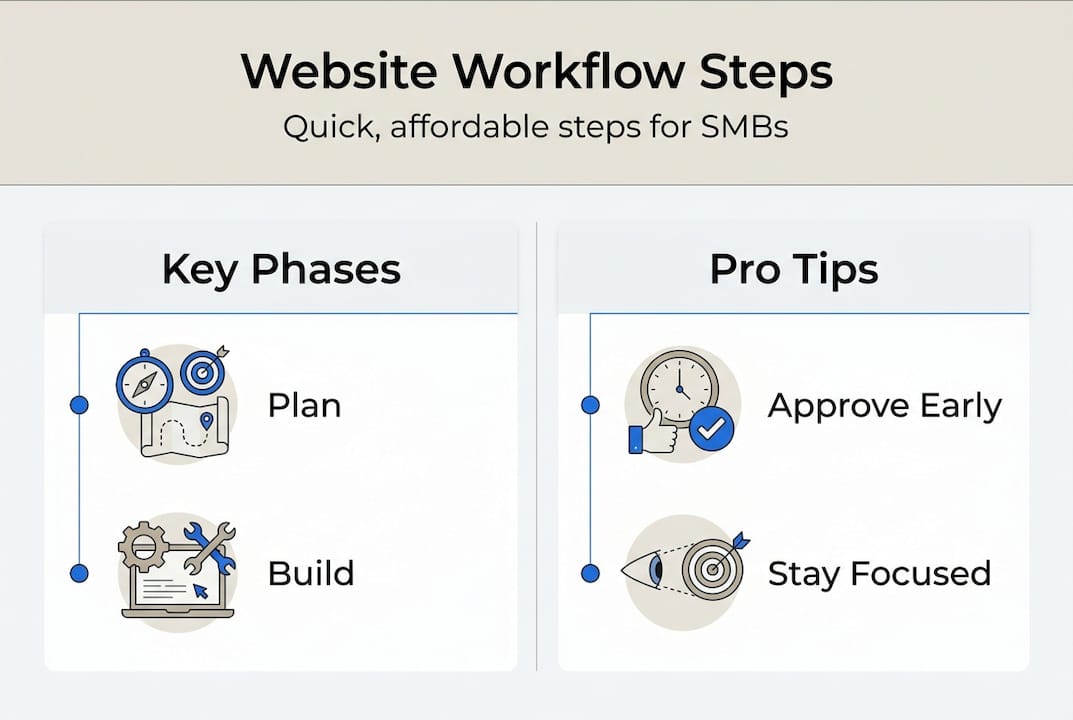
Set clear approval checkpoints at the end of each phase. This prevents scope creep, which is when small change requests pile up and push your launch back by weeks. Review SEO-friendly design tips and the custom design approach to understand what separates a high-performing site from a basic one.
Pro Tip: Assign one decision-maker on your team to approve each phase. Multiple voices without a final authority slow everything down.
Making your site bilingual: Adding affordable language support
Now that your core workflow is mapped out, let's ensure your business doesn't miss out on Lubbock's Spanish-speaking community. Polylang and WPML plugins let you add full Spanish support to a WordPress site without rebuilding anything from scratch.
Here's how to set it up:
- Install Polylang (free version works for most small sites) from the WordPress plugin directory
- Select your languages (English as default, Spanish as secondary)
- Translate each page manually or with a bilingual copywriter
- Place the language switcher in your header or navigation menu
- Add hreflang tags so Google knows which version to show to which user
- Research local Spanish keywords specific to Lubbock searches
Expert warning: Auto-translation tools like Google Translate are not enough. Machine translation misses cultural context, local slang, and industry-specific phrasing. Hire a bilingual proofreader, even for a single review pass. Your Spanish-speaking customers will notice the difference.
For SEO, hreflang tags tell search engines that your English and Spanish pages are related but distinct. This prevents duplicate content penalties and helps both versions rank. Review SEO tips for local businesses for keyword guidance specific to the Lubbock market.
Pro Tip: Budget 2 to 4 extra weeks if you want a quality bilingual launch. Rushing translation is one of the most common and costly mistakes in local website builds.
Pitfalls and pro moves: What slows down or supercharges your site launch
Launching is only half the battle. Here's how to avoid missteps and quickly capitalize on your investment. Well-optimized sites can generate 25 to 60% more leads within 90 days of launch. That number is only possible if you avoid the traps that kill momentum.
Common pitfalls to watch for:
- Scope creep from slow client approvals or last-minute content changes
- Migration mistakes when moving from an old platform to a new one
- Generic templates that look like every other site in your industry
- Weak content that doesn't speak to your specific Lubbock audience
- DIY site builder risks including poor SEO defaults and limited scalability
Poor SEO and slow speed are the top DIY pitfalls. Aim for a mobile load time under 2.5 seconds. Anything slower and you're losing visitors before they see your offer.
Pro moves that pay off fast:
- Run a 90-day optimization sprint after launch (update content, fix slow pages, add new service details)
- Schedule regular updates every 60 to 90 days
- Review website optimization steps to build a repeatable maintenance routine
Pro Tip: Set up Google Analytics before launch day. Within the first two weeks, you'll have real data on which pages attract visitors and which ones lose them. Use that data to make quick, targeted fixes.
Measuring success: What to track and when to update
Understanding what happens after launch lets you stay ahead of the competition and quickly iterate. Success isn't just about traffic. It's about the right traffic taking the right actions.
Track these metrics weekly and monthly:
- Organic traffic from Google Search Console
- Form submissions and phone calls as direct lead indicators
- Page speed scores using Google PageSpeed Insights
- Bounce rate (visitors who leave without clicking anything)
- Conversion rate (visitors who become leads or customers)
Here's a quick guide on when to act:
| Signal | Action |
|---|---|
| Traffic drops 20% or more | Review SEO and check for technical errors |
| Speed score falls below 70 | Compress images, review plugins |
| Leads drop two months in a row | Audit content and calls to action |
| You add new services | Update site immediately |
| Engagement drops on key pages | Rewrite or reformat that content |
A Lubbock law firm rebuilt their site and jumped from 12 to 41 leads per month. That's not luck. That's the result of tracking, updating, and optimizing after launch. Learn how to update your website for SEO to keep your rankings climbing over time.
Update your site whenever you launch new services, run a promotion, or notice a drop in engagement. Waiting until something breaks is the most expensive approach.
Why most local business website projects fail—and how to actually win in Lubbock
Here's what we've seen over and over: the businesses that struggle most with website launches are not the ones with the smallest budgets. They're the ones with the most indecision. Scope creep from slow approvals and delayed content are the real project killers, not platform choice or design complexity.
The myth that more features equal faster results is exactly backwards. Every feature you add without a clear purpose adds a decision point. Every decision point without a deadline adds a week to your timeline. Simple, focused sites launch faster and convert better.
For bilingual builds, the failure point is almost always cultural. Business owners approve a Spanish translation without having a fluent speaker review it. The result is a page that reads as foreign to native Spanish speakers. That damages trust instead of building it.
The fix is simple but requires discipline. Review the website essentials checklist before your first agency meeting. Pre-approve your color palette, your page list, and your content outline. Then schedule weekly 30-minute check-ins with decision-makers only.
Pro Tip: Schedule weekly 30-minute check-ins with decision-makers only. No check-ins without a decision on the table. This one habit cuts average project timelines significantly.
Ready to launch your Lubbock website? Get affordable, expert support today
After everything you've learned, here's how to put your local website goals within reach this month. You don't have to figure this out alone or spend months going back and forth with a distant agency that doesn't know Lubbock.

At Digital Biz Agent, we handle the full workflow for you. From strategy to bilingual setup to post-launch optimization. Our website design services are built for Lubbock small businesses that need results fast and affordably. Review our essential website features to see what every site should include, then check our website pricing plans starting at $50 per month. We offer free demos, bilingual-ready builds, and a team that stays with you after launch.
Frequently asked questions
How long does it take to launch a typical local business website in Lubbock?
Most sites go live in 4 to 6 weeks if you work with a professional and provide your content and approvals on schedule. DIY builds can go faster but often need rework later.
What's the average cost for a professionally built site with bilingual support?
Expect to invest at least $2,500 to $2,800 for a bilingual-ready WordPress site. Simple builder options cost less upfront but may limit your SEO and growth options.
How can I make my website bilingual without doubling the work?
Use Polylang or WPML on WordPress to add, translate, and optimize pages in multiple languages without rebuilding your site from scratch.
What's the biggest reason website projects get delayed?
Slow content delivery and delayed client approvals are the top causes. Having all your assets and a clear decision-maker ready before the project starts is the best prevention.
How soon can I expect more leads or sales from a new website?
Well-optimized sites often show a 25 to 60% lead increase within 90 days of launching, provided you continue updating and optimizing after go-live.