
TL;DR:
- Google ranks websites based on actual user experience including speed and stability.
- Improving Core Web Vitals enhances search rankings, reduces bounce rates, and builds trust.
- Regularly monitoring real-user data helps small businesses optimize for diverse devices and networks.
Google doesn't guess which websites deserve top search spots. It measures real customer experiences, including how fast your pages load, how quickly they respond to clicks, and whether they stay visually stable. For Texas small businesses, this means your website's performance signals directly shape how many potential customers find you. Speed isn't a vanity metric. It determines whether your next customer stays or leaves. And if your site serves both English and Spanish-speaking visitors, performance gaps hurt twice as hard.
Table of Contents
- Why website performance matters for Texas small businesses
- How Google measures real customer experiences
- A practical workflow: measuring and improving your site
- Common pitfalls and what most people miss
- A performance-first mindset: what Texas small businesses gain when they go beyond the basics
- Take the next step: affordable high-performance websites for Texas businesses
- Frequently asked questions
Key Takeaways
| Point | Details |
|---|---|
| Performance impacts search visibility | Google uses real-user experience data to rank Texas small business websites. |
| Focus on lead-driving pages | Prioritize performance for home, service, and bilingual landing pages for best results. |
| Continuous measurement is key | Use tools like PageSpeed Insights and monitor CrUX data to keep your site competitive over time. |
| Avoid test-only optimization | Real user data matters more than perfect lab scores for business outcomes. |
Why website performance matters for Texas small businesses
Let's clear up a common misconception first. Many business owners assume website performance is something developers worry about after launch. That thinking costs you customers every single day.
Core Web Vitals are real user experience signals that Google uses in search rankings. When your site loads slowly or shifts around on a phone screen, Google sees that. More importantly, your visitors feel it.
Here's what poor performance actually costs you:
- Lost search rankings. Google ranks faster, more stable sites higher in local results.
- Higher bounce rates. Visitors leave before your page finishes loading.
- Fewer conversions. A slow checkout or contact form kills lead generation.
- Bilingual visitors hit harder. Spanish-speaking customers often use mobile data, not Wi-Fi. Slow sites on slow networks mean zero engagement.
- Trust damage. A glitchy site signals that your business isn't professional.
Understanding why business websites are vital goes deeper than just having a page online. Performance is what separates a site that generates calls from one that just sits there.
"A fast, stable website isn't just a technical win. It's the difference between a customer calling you or calling your competitor."
Pro Tip: Check your own site on a mobile phone using cellular data, not your office Wi-Fi. That's the real experience most of your customers have.
If your site takes more than three seconds to load on mobile, you're likely losing a significant portion of visitors before they even see your business name. Reviewing a modern website features list gives you a clear picture of what a high-performing site actually includes. Performance is always on that list.
How Google measures real customer experiences
Now that you understand what's at stake, let's look at how Google actually collects this data.
Google uses two types of performance data: lab data and field data. Lab data comes from automated tests run in controlled conditions. Field data, also called real-user data, comes from actual visitors using actual devices on actual networks.
Here's a quick comparison:
| Data type | Source | What it reflects |
|---|---|---|
| Lab data | Automated simulation | Ideal test conditions |
| Field data (CrUX) | Real Chrome users | True visitor experience |
| PageSpeed score | Combined analysis | Mixed indicator |
Google's Chrome User Experience Report (CrUX) collects field data from real users. It captures performance across different devices, locations, and network speeds. This is the data that influences your search rankings, not your lab score.
The three Core Web Vitals are:
- Largest Contentful Paint (LCP): How fast your main content loads. Target: under 2.5 seconds.
- First Input Delay (FID): How fast your page responds to the first click or tap. Target: under 100 milliseconds.
- Cumulative Layout Shift (CLS): How much your page moves around while loading. Target: under 0.1.
For Texas businesses with diverse customer bases, CrUX data captures what rural customers on 4G experience alongside urban users on fiber. Your lab score might look great. Your real customers might be suffering.

A good starting point is reading through website optimization explained so you understand what each metric means for your specific site. From there, you can follow the Core Web Vitals workflow to identify which metrics need the most attention.
A practical workflow: measuring and improving your site
Knowing the metrics is step one. Using them to actually improve your site is where most small business owners need a clear process.
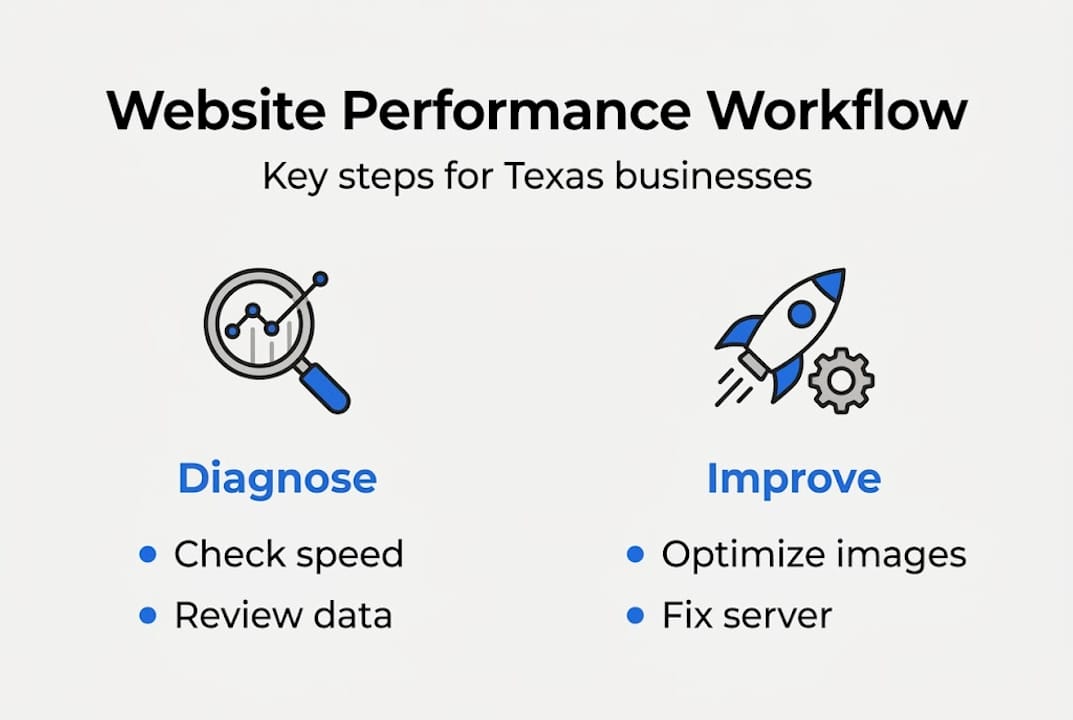
Here's a practical workflow that fits a small business budget and schedule:
- Identify your lead-driving pages. Start with your home page, top service pages, and any bilingual landing pages. These pages generate the most calls and form submissions.
- Run PageSpeed Insights. Go to pagespeed.web.dev and enter each URL. The tool pulls your CrUX field data for the last 28 days.
- Read the field data first. Ignore the lab score for now. Your field data score shows what real visitors experienced.
- Switch to Lighthouse for diagnostics. Lighthouse (built into Chrome DevTools) breaks down what's slowing your pages down. Use it to find specific issues to fix.
- Fix user-impacting issues first. Large uncompressed images, slow-loading fonts, and third-party scripts (like chat widgets) tend to cause the most damage.
- Retest and monitor. After fixes, rerun PageSpeed Insights. Track changes in CrUX data over time.
Here's a simple priority table for common fixes:
| Issue | Impact on users | Fix difficulty |
|---|---|---|
| Large images | High | Low |
| Slow server response | High | Medium |
| Third-party scripts | Medium | Medium |
| Font loading | Medium | Low |
| Layout shifts | High | Medium |
The practical methodology for small businesses follows this exact pattern: diagnose with real data, fix the biggest issues, then monitor continuously.
Pro Tip: Focus on your Spanish language landing pages separately. They often have different images, fonts, and plugins that can perform differently from your English pages.
For a detailed roadmap, the guide on affordable website optimization walks through this process step by step with small business budgets in mind. Make sure your site also covers the website must-have features before you start optimizing performance.
Common pitfalls and what most people miss
Even business owners who take performance seriously often fall into the same traps. Here are the most costly ones.
Chasing lab scores instead of field data. A 95 on a lab test means nothing if your CrUX field data shows a failing score. Real-user data from CrUX is reported at the 75th percentile, meaning it reflects what most of your visitors actually experience. Lab tests are diagnostic tools, not the final verdict.
Setting it and forgetting it. A plugin update, a new image, or a third-party widget can tank your performance overnight. Most business owners don't realize their scores dropped until they wonder why calls slowed down.
Fixing everything instead of the right things. Not all recommendations carry equal weight. Fixing render-blocking JavaScript matters more than trimming a comment from your HTML. Focus on what actually affects load time for real users.
Here are the pitfalls to watch:
- Trusting only lab simulations for decisions
- Skipping mobile testing entirely
- Installing too many plugins without checking their speed cost
- Not testing bilingual pages separately
- Ignoring server-side performance in favor of front-end tweaks
"Treating performance as a launch-day checkbox is like setting up your store and never cleaning it again. The mess builds up slowly until customers stop coming in."
Pro Tip: Schedule a quick monthly performance check. Set a reminder to run PageSpeed Insights on your three most important pages. It takes ten minutes and catches regressions early.
For a broader look at protecting your business's digital presence, the guide on improving online presence covers both technical and non-technical strategies that work together.
A performance-first mindset: what Texas small businesses gain when they go beyond the basics
Here's a perspective that most articles skip: website performance isn't just a technical problem. It's a business strategy.
Small businesses in Texas compete in some of the most diverse local markets in the country. Your customers speak different languages, use different devices, and connect on different networks. A performance-first approach doesn't just improve your Google rankings. It builds trust with every visitor who lands on your site and gets a fast, clean experience.
We've seen this pattern repeatedly. Business owners who treat performance as ongoing maintenance, not a one-time fix, compound their results over time. Rankings improve gradually. Engagement goes up. Support calls about "the website not working" drop significantly.
Measurement frameworks like Core Web Vitals also solve a real communication problem. When a developer says your site is fast but customers complain it's slow, CrUX data settles that argument with facts.
Reviewing essential site features alongside performance data gives you a complete picture of where your site stands and where it needs to go.
Take the next step: affordable high-performance websites for Texas businesses
Applying everything in this guide takes time, tools, and technical know-how. That's where we come in.

At Digital Biz Agent, we build and manage high-performance websites designed specifically for Texas small businesses. Our sites are mobile-responsive, SEO-optimized, and bilingual-ready from day one. We handle performance monitoring, updates, and security so you can focus on running your business. Whether you need a professional website foundation or a complete digital presence overhaul, our plans start at $50/month with no surprises. Get a free demo and see what a fast, optimized site looks like for your business.
Frequently asked questions
How do I check my website's Core Web Vitals quickly?
Use Google's free PageSpeed Insights tool. It pulls your CrUX data at the 75th percentile over the last 28 days and shows your real-user performance scores instantly.
What's the difference between lab and field data for website speed?
Lab data runs automated simulations under ideal conditions. Field data from CrUX reflects real visitors across different devices, locations, and network speeds, which is what Google uses for rankings.
Do I need to optimize every page or just my main business pages?
Focus on your home page, service pages, and key landing pages first. Prioritize lead-driving pages, especially bilingual ones, since those generate the most customer contacts for your Texas business.
How often should I re-check website performance?
Check after every major site change and at least once a month. PageSpeed Insights reports CrUX data over a rolling 28-day window, so you can spot regressions before they hurt your rankings.