
TL;DR:
- Ongoing website management is proactive, covering SEO, content updates, and performance improvements.
- Neglecting management can cause costly downtime, lead drop, and damage to brand reputation.
- Regular monthly actions build momentum, boost conversions, and offer better ROI than reactive fixes.
Website neglect is not a minor oversight. Downtime costs small businesses between $8,000 and $25,000 per hour, and ignoring routine management can trigger a 45% drop in leads. Many Texas small business owners assume their website just needs an occasional fix. That misconception is expensive. Ongoing website management is not about putting out fires. It is a proactive strategy that keeps your site competitive, visible, and converting visitors into paying customers. This guide breaks down what ongoing management actually means, why skipping it costs more than doing it, and how to use it as a real growth tool for your business.
Table of Contents
- Ongoing website management vs. maintenance: What's the difference?
- Why neglecting website management costs more than you think
- What ongoing website management actually includes
- How proactive management boosts growth and streamlines your work
- What most small businesses get wrong about website management
- Get expert website management for your Texas business
- Frequently asked questions
Key Takeaways
| Point | Details |
|---|---|
| Management vs. maintenance | True website management combines technical fixes with proactive updates and strategy. |
| Neglect is costly | Skipping ongoing management risks major losses in leads and revenue. |
| Proactive pays off | Regular small updates increase conversions and reduce emergency expenses. |
| Streamlined operations | Ongoing management frees business owners from website stress and supports steady growth. |
Ongoing website management vs. maintenance: What's the difference?
With the stakes clear, it is essential to distinguish ongoing management from basic upkeep. Most people use these terms interchangeably, but they describe very different approaches.
Website maintenance is reactive. It covers technical fixes: updating plugins, renewing security certificates, patching bugs, and keeping the site from breaking. Think of it like changing the oil in your truck. Necessary, but it does not make the truck faster or more valuable.
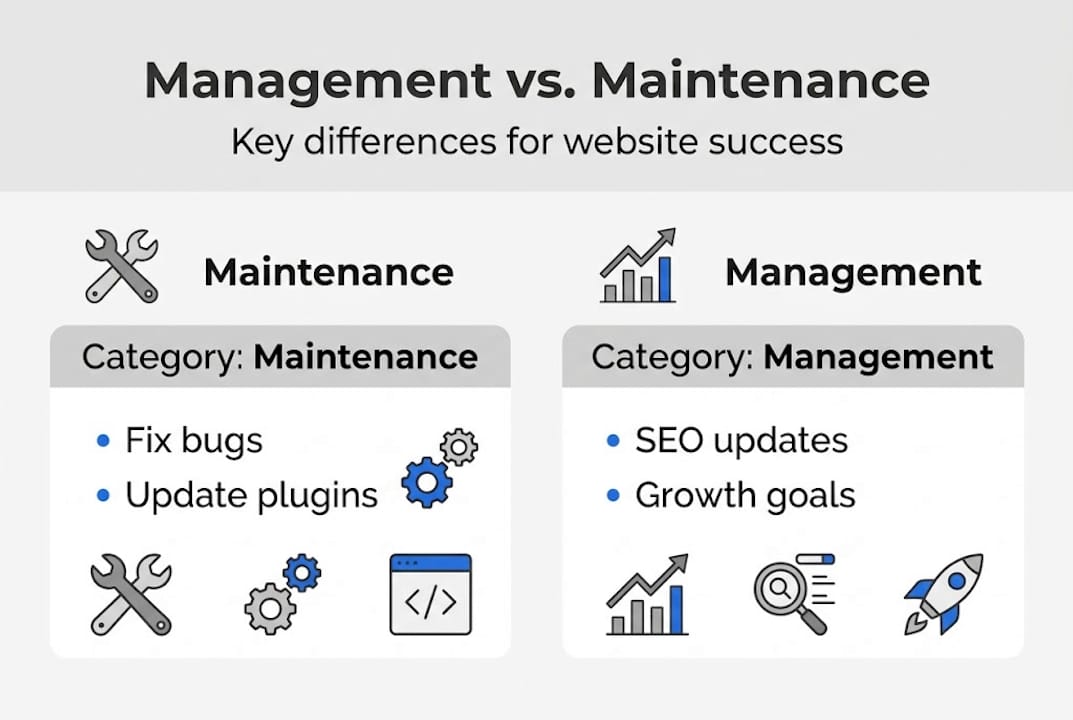
Ongoing website management is proactive. It layers strategy on top of maintenance. That means regular SEO adjustments, content edits, performance improvements, analytics reviews, and planned feature additions. As management adds proactive improvements like SEO and content edits while maintenance remains reactive, your site becomes a business asset rather than just a technical requirement.
Here is a side-by-side look at what each covers:
| Category | Website maintenance | Ongoing management |
|---|---|---|
| Plugin and software updates | Yes | Yes |
| Security monitoring | Yes | Yes |
| Bug fixes | Yes | Yes |
| SEO optimization | No | Yes |
| Content edits | No | Yes |
| Analytics reporting | No | Yes |
| Conversion rate improvements | No | Yes |
| New feature rollouts | No | Yes |
Tasks that fall under maintenance include:
- Updating themes and plugins
- Fixing broken links
- Renewing SSL certificates
- Backing up site data
Tasks that fall under ongoing management include:
- Monthly keyword and SEO adjustments
- Refreshing product pages, testimonials, or service descriptions
- Reviewing traffic and bounce rate data
- Testing and improving calls to action
- Adding new landing pages or features
You can learn more about the technical side through this website maintenance process guide.
Pro Tip: Do not choose between maintenance and management. The best results come from combining both. Maintenance keeps your site alive. Management makes it grow.
Why neglecting website management costs more than you think
Now that you know the differences, let's look at the dangers of letting website management slide. Most small business owners underestimate just how fast neglect adds up.
Speed is a good place to start. A one-second delay costs a 7% drop in conversions. A site that used to load in two seconds now loads in five. That gap quietly bleeds revenue. Visitors leave. They do not come back. And they do not tell you why.
"A neglected website is not just a technical problem. It is a business liability. Emergency redesigns and security fixes triggered by months of neglect commonly run $5,000 to $50,000. Routine management costs a fraction of that." — Website management industry data
Security is another real risk. Hacked sites, expired certificates, and outdated code put your customer data and your reputation at risk. Once trust is broken online, it is very hard to rebuild.
SEO rankings also erode silently. Google rewards fresh, fast, and relevant sites. Stale content and slow load times push you down in search results, costing you visibility without any obvious warning sign. The website ROI facts make this plain: your site is your hardest-working salesperson, and neglect fires that salesperson slowly.
Here is a breakdown of the real costs:
| Risk | Potential impact |
|---|---|
| Site downtime | $8,000 to $25,000 per hour lost |
| Lead drop from neglect | Up to 45% fewer leads |
| Emergency fixes | $5,000 to $50,000 per incident |
| Slow site penalty | 7% conversion loss per extra second |
The three biggest costs of neglect:
- Lost leads. Slow or outdated sites drive visitors to competitors.
- Emergency repairs. Reactive fixes after a crisis cost far more than prevention.
- Damaged brand. A broken or dated site signals to customers that you are not serious.
If you want to understand why regular updates matter for search visibility, see how to boost local SEO in 2026 with small but consistent improvements.
Small business downtime costs climb fast. Even an hour of downtime during a busy weekend can erase a week of marketing spend.
What ongoing website management actually includes
Knowing the dangers, here is a clear look at what ongoing website management involves in practice. A solid management plan is not one big project. It is a rhythm of small actions that build on each other every month.
A standard plan typically covers these five core services:
- SEO optimization. Keyword tracking, meta tag updates, and local search improvements to keep you ranking.
- Content edits. One to three updates per month to keep product info, pricing, and messaging current.
- Performance tuning. Image compression, caching, and speed audits to keep load times fast.
- Analytics reporting. Monthly reviews of traffic, bounce rate, and conversion data so you know what is working.
- Feature additions. New contact forms, landing pages, or booking tools as your business grows.
As management includes SEO tweaks, content edits, performance optimization, analytics reporting, and new growth features, each of these actions compounds over time. Fixing your page speed in January and updating your service pages in February leads to better rankings by March.
For Texas business owners, this means:
- Fresher content that reflects seasonal offers, local events, or new services
- Better local search visibility when customers search for your type of business nearby
- Clear data on which pages bring in leads and which ones lose visitors
Check the modern features list to see what elements help Texas SMBs stand out. You can also review the must-have website features to confirm your site covers the basics.
Pro Tip: Do not skip the analytics step. Many owners focus only on design and content. But website analytics explained clearly shows how even small monthly adjustments, tracked over time, can dramatically shift your leads and revenue.
How proactive management boosts growth and streamlines your work
With a solid understanding of management tasks, let us see what proactive approaches can actually deliver for your business.
The biggest shift is from reaction to momentum. When you manage proactively, you are not waiting for your site to break or your rankings to drop. You are making small, deliberate improvements each month that stack up over time.

Proper website management boosts conversion rates from 2.1% to 3.4%, which is a 61% increase. For a Texas business getting 500 visitors a month, that difference means roughly 6 more paying customers per month without spending more on advertising.
Here is what a proactive approach delivers:
- Less stress. No scrambling when something breaks.
- Fewer emergencies. Regular audits catch problems before they become crises.
- Continuous improvement. Each month, your site is a little faster, more relevant, and better optimized.
- Better ROI on marketing. When your site converts better, every dollar you spend on ads or social media goes further.
- Time back. A managed site does not demand your attention constantly.
For more on what your site should do for you, review these essential website updates and consider how website redesign timing fits into a long-term growth plan.
Pro Tip: Consistency is the real advantage. One monthly improvement may feel small. But twelve months of steady improvements create a site that is dramatically more effective than it was a year ago. Occasional overhauls cannot replicate that momentum.
What most small businesses get wrong about website management
This brings us to a crucial shift in mindset that separates businesses that thrive from those that merely survive.
Most Texas small business owners treat their website like a utility bill. They pay for hosting, leave the site alone, and only call for help when something breaks. That approach treats the website as a technical asset rather than a growth engine.
The uncomfortable truth: waiting for a problem to appear is almost always more expensive than preventing it. A business that spends $100 a month on management avoids the $5,000 emergency fix and keeps its leads flowing steadily.
Your website is your most available salesperson. It works at 2 a.m. It does not take vacations. But only if it is kept sharp. Businesses that invest a little each month do not just avoid losses. They seize opportunities their competitors miss. If you are unsure whether your current site is holding you back, check when you need a new website to see the clear signals.
Shift your thinking from "fix it when it breaks" to "improve it every month." That single change in mindset produces real results.
Get expert website management for your Texas business
You now have a clear picture of what ongoing management is, what it costs to ignore it, and what it can do for your growth. The next step is finding the right partner.

At Digital Biz Agent, we offer website design and management services built specifically for Texas small businesses. Plans start at $50 per month and cover SEO, content updates, performance monitoring, and more. No jargon, no long contracts, no surprises. See our affordable website pricing and find the plan that fits your budget. And if you want to make sure your digital strategy is on the right track overall, avoid the common marketing mistakes that hold small businesses back. Let us manage your site so you can focus on running your business.
Frequently asked questions
What does ongoing website management include for small businesses?
Management includes ongoing SEO, minor content updates, analytics reports, and performance improvements delivered on a monthly basis.
Why is ongoing management better than just website maintenance?
Management is proactive and growth-driven, while maintenance is reactive and technical. Management prevents costly problems and steadily grows your site's value.
How much does downtime or neglect cost small Texas businesses?
Small business downtime is estimated at $8,000 to $25,000 per hour, and neglect can result in 45% fewer leads over time.
How often should I update or improve my business website?
Frequent updates and routine improvements drive higher leads and conversions. Minor improvements monthly and a redesign every two to three years is the recommended approach.