
Build a small business website in Texas in 2026
Many Texas small businesses struggle to create affordable, professional websites with bilingual support. High costs, slow timelines, and lack of English-Spanish functionality leave entrepreneurs frustrated and offline. This guide walks you through a practical, budget-friendly process to launch a modern bilingual website quickly, with clear steps for choosing platforms, implementing bilingual features, designing for mobile and SEO, and maintaining long-term success.
Table of Contents
- Prerequisites: what you need before you start
- Step 1: choose the right website platform for your business
- Step 2: set up bilingual support for English and Spanish
- Step 3: design your website with mobile-first and SEO in mind
- Step 4: launch your website quickly and affordably
- Common mistakes and how to troubleshoot them
- Maintaining and scaling your website for long-term success
- Conclusion: achieving a professional, bilingual website on a budget
- Explore affordable website design and SEO services for Texas small businesses
Key takeaways
| Point | Details |
|---|---|
| Affordable solutions exist | WordPress and DIY builders offer bilingual support starting at $240 yearly for Texas small businesses. |
| Mobile-first design is essential | Responsive sites reduce bounce rates and improve engagement across devices. |
| Launch timelines vary | DIY sites launch in 1-3 days, professional builds take 2-6 weeks depending on scope. |
| Bilingual plugins simplify translation | WPML and Weglot enable seamless English-Spanish websites with SEO optimization. |
| Ongoing maintenance protects investment | Annual costs of $600-$3,000 cover backups, updates, and security to ensure long-term success. |
Prerequisites: what you need before you start
Before building your website, preparation saves time and prevents costly mistakes. Starting without clear goals or content leads to delays and extra expenses.
First, define your website's purpose and target audience. Are you attracting local customers, selling products online, or providing service information? Knowing this shapes every design and content decision. Next, register a domain name that reflects your brand and is easy to remember. Choose a hosting plan that fits your needs, whether shared hosting for simple sites or managed hosting for better performance and support.
Prepare bilingual content drafts in English and Spanish well before launch. Writing clear, accurate copy in both languages takes time, especially if you need professional translation services. Select website tools that support bilingual plugins, like WordPress with WPML or Weglot, or DIY builders with language features. Finally, understand basic technical concepts like DNS settings and plugin installation, or line up support from a developer or agency to smooth the setup process.
Key preparation steps include:
- Clarifying your website goals and audience to guide content strategy
- Securing a memorable domain name and reliable hosting plan
- Drafting bilingual content in English and Spanish before development
- Choosing platforms compatible with bilingual plugins and tools
- Learning technical basics or hiring support to avoid setup roadblocks
Explore website pricing plans to understand cost structures and choose options that fit your budget and timeline.
Step 1: choose the right website platform for your business
Selecting the right platform balances cost, ease of use, customization, and bilingual capabilities. Your choice impacts launch speed, long-term flexibility, and overall investment.
WordPress powers about 43% of all websites and offers extensive free plugins and themes ideal for small businesses. It provides robust customization, excellent bilingual plugin support through WPML or Weglot, and moderate costs ranging from $300 to $3,000 for professional setup. WordPress suits businesses wanting flexibility and growth potential without high agency fees.
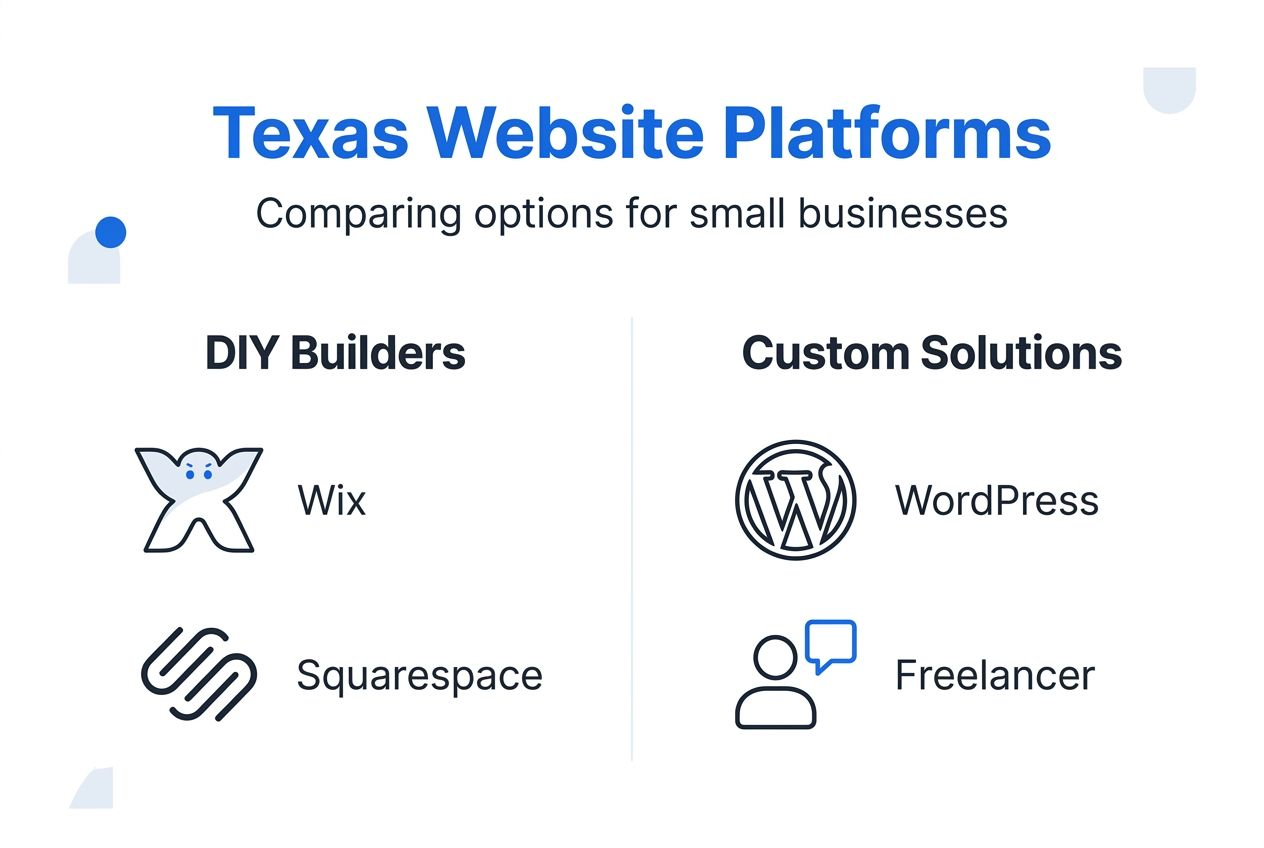
DIY builders like Wix, Squarespace, and Weebly enable fast launches at low cost, typically $240 annually for basic plans. These platforms offer drag-and-drop interfaces requiring no coding skills, making them accessible for non-technical owners. However, they provide less customization, limited bilingual functionality, and can present challenges when scaling or migrating to other platforms. Learn more about DIY site builder drawbacks to understand these limitations.

Hiring freelancers or agencies delivers premium customization and professional design but costs $1,500 to $12,000 or more, with timelines of 2 to 6 weeks. This option suits businesses prioritizing unique branding and complex features over speed and budget.
Compare platforms using this summary:
| Platform | Cost Range | Launch Timeline | Customization | Bilingual Support |
|---|---|---|---|---|
| WordPress | $300-$3,000 | 2-4 weeks | High | Excellent (WPML, Weglot) |
| DIY Builders | $240/year | 1-3 days | Low to Moderate | Basic to Moderate |
| Freelancer/Agency | $1,500-$12,000+ | 2-6 weeks | Very High | Excellent with expertise |
Review website pricing plans to match your budget with the right platform. For detailed guidance, explore small business website steps to build your site effectively.
Step 2: set up bilingual support for English and Spanish
Adding bilingual functionality is critical for reaching diverse Texas audiences. Proper setup ensures usability, SEO effectiveness, and professional presentation in both English and Spanish.
WordPress plugins like WPML or Weglot enable seamless bilingual website management with language switchers and SEO optimization for each language. These tools let you translate pages, posts, menus, and metadata, creating separate URLs or subdomains for each language. This approach improves search engine visibility and user experience by presenting content in the visitor's preferred language.
Combine professional translation services with machine assistance for accuracy. While automated tools speed up initial translation, human review ensures cultural relevance and eliminates awkward phrasing. Budget for professional translators on key pages like your homepage, services, and contact information to maintain credibility.
Design and place language switchers prominently in your site header or navigation menu. Make it easy for visitors to toggle between English and Spanish without hunting for the option. Clear, accessible switchers reduce frustration and improve engagement.
Optimize bilingual SEO using hreflang tags and unique URLs for each language. Hreflang tags tell search engines which language version to serve based on user location and preferences, preventing duplicate content penalties. Ensure each language version has localized keywords, meta descriptions, and title tags to maximize organic traffic from both English and Spanish speakers.
Key bilingual setup steps:
- Install WPML or Weglot plugins for WordPress sites
- Translate core content professionally, then use machine tools for secondary pages
- Position language switchers in visible, intuitive locations
- Implement hreflang tags and localized SEO for each language version
- Test navigation and forms in both languages to confirm functionality
Pro Tip: Regularly review translations to maintain quality and update as your business evolves. Language changes over time, and keeping content fresh builds trust with bilingual audiences.
For detailed setup instructions, visit bilingual website setup to learn best practices and troubleshooting tips.
Step 3: design your website with mobile-first and SEO in mind
Mobile-responsive, SEO-optimized design maximizes user engagement and search visibility. Ignoring these principles costs traffic, leads, and revenue.
Adopt mobile-first design to reduce bounce rates and boost engagement. Over 60% of web traffic comes from mobile devices, and sites that load poorly on phones lose visitors instantly. Design for small screens first, then scale up to tablets and desktops. This approach ensures your site works well everywhere.
Select modern, responsive themes with fast loading times. Slow sites frustrate users and hurt search rankings. Choose themes optimized for speed, with clean code and minimal bloat. Test load times using tools like Google PageSpeed Insights and aim for under 3 seconds on mobile.
Implement SEO basics including keyword use, meta tags, and hreflang for bilingual SEO. Research keywords your Texas customers search for, then integrate them naturally into page titles, headings, and body text. Write unique meta descriptions for each page, and use hreflang tags to signal language versions to search engines.
Ensure easy navigation and clear calls to action for both language audiences. Organize menus logically, use descriptive labels, and place contact forms or booking buttons prominently. Bilingual sites need consistent navigation structures in both languages to avoid confusion.
Test across devices to confirm usability and accessibility. Check your site on smartphones, tablets, and desktops using different browsers. Look for broken links, misaligned elements, or text too small to read. Fix issues before launch to deliver a polished experience.
Essential design practices:
- Prioritize mobile-first design for the majority of your traffic
- Choose fast, responsive themes that load quickly on all devices
- Use localized keywords and hreflang tags for bilingual SEO
- Simplify navigation with clear menus and prominent calls to action
- Test thoroughly across devices and browsers before going live
Learn more about small business website essentials to ensure your site includes critical features. Explore modern website features to stay competitive in 2026.
Step 4: launch your website quickly and affordably
Launching your website on time and within budget requires realistic planning and smart prioritization. Understanding timelines and costs helps you avoid delays and overspending.
DIY builders enable 1 to 3 day launch timelines at approximately $240 yearly costs. These platforms offer pre-built templates and drag-and-drop editors, letting non-technical owners create functional sites fast. While customization is limited, DIY builders work well for businesses needing simple sites quickly.
Professional sites typically launch in 2 to 6 weeks, costing $1,500 to $12,000 or more depending on complexity. Custom design, advanced features like e-commerce, and extensive bilingual content extend timelines and budgets. However, professional builds deliver polished, scalable sites that grow with your business.
Prioritize minimum viable product (MVP) features to launch early and iterate later. Start with essential pages like homepage, services, about, and contact. Add blog posts, testimonials, and advanced features after launch to reduce initial complexity and get online faster.
Test functionality and bilingual versions thoroughly before going live. Check forms, links, language switchers, and mobile responsiveness across devices. Catch broken elements early to avoid embarrassing errors and frustrated visitors.
Follow these launch steps:
- Finalize essential pages and bilingual content before launch day
- Test all forms, links, and language switchers across devices
- Set up analytics and tracking tools to monitor traffic and conversions
- Announce your launch on social media and email lists to drive initial traffic
- Gather feedback from early visitors and make quick improvements
Pro Tip: Use checklists and schedule milestones to avoid last-minute delays. Breaking the project into smaller tasks keeps progress visible and prevents scope creep.
For timeline insights specific to Texas, read about the Texas website launch timeline to optimize your launch strategy.
Common mistakes and how to troubleshoot them
Avoiding frequent errors saves time, money, and frustration. Recognizing and fixing these issues early improves website effectiveness and user satisfaction.
Ignoring SEO can reduce organic traffic by 47%, costing you valuable leads and sales. Without keyword optimization, meta tags, and quality content, search engines won't rank your site. Fix this by researching relevant keywords, optimizing page titles and descriptions, and creating valuable content that answers customer questions.
Poor mobile design causes bounce rates up to 70%, driving visitors away before they explore your services. Sites that don't load properly on phones frustrate users and damage your reputation. Solve this by choosing responsive themes, testing on multiple devices, and prioritizing fast load times.
Inaccurate bilingual translations damage credibility and user experience. Machine-translated content often sounds awkward or contains errors that confuse readers. Hire professional translators for key pages and review all automated translations to maintain quality and trust.
Delaying launch harms early lead generation and sales opportunities. Perfectionism prevents you from getting online and capturing customers. Instead, launch with MVP features and improve over time based on real feedback.
Common mistakes to avoid:
- Skipping SEO basics like keyword research and meta tags
- Using non-responsive designs that fail on mobile devices
- Relying solely on machine translation without human review
- Waiting too long to launch while trying to perfect every detail
- Forgetting to test forms, links, and bilingual functionality before going live
Use plugin tools like SEO analyzers and mobile testing utilities to catch issues early. Schedule regular reviews and gather user feedback to identify problems quickly. Learn about small business website mistakes to avoid costly errors.
Maintaining and scaling your website for long-term success
Ongoing maintenance, security, and scalability planning ensure your website remains effective and secure over time. Neglecting these areas risks hacks, downtime, and lost opportunities.
Annual maintenance costs typically range from $600 to $3,000, including backups, updates, and security. Regular maintenance prevents costly emergencies and keeps your site running smoothly. Budget for monthly or quarterly updates to plugins, themes, and core software to patch vulnerabilities and improve performance.
Regular updates improve performance and prevent hacks. Outdated software creates security holes that hackers exploit, risking data breaches and site defacement. Schedule automatic backups, apply updates promptly, and monitor uptime to catch issues early.
Plan for scalability options like adding e-commerce or expanding content. As your business grows, your website should too. Choose platforms that support additional features without requiring complete rebuilds. WordPress and professional solutions offer flexibility for adding blogs, online stores, booking systems, and more.
Monitor key metrics like uptime (aim for over 99.5%) and traffic growth. Use analytics tools to track visitor behavior, conversion rates, and page performance. Identify slow pages or broken links and fix them to maintain a positive user experience.
Maintenance tasks and frequency:
| Task | Frequency | Estimated Cost |
|---|---|---|
| Software updates | Monthly | $50-$150/month |
| Security scans | Weekly | Included in hosting or $10-$30/month |
| Backups | Daily/Weekly | $5-$20/month |
| Performance monitoring | Continuous | Free to $50/month |
| Content updates | As needed | $100-$500/update |
Key maintenance practices:
- Schedule automatic backups to protect against data loss
- Apply software updates promptly to close security vulnerabilities
- Monitor uptime and performance metrics to catch issues early
- Plan for scalability by choosing flexible platforms and hosting
- Review content regularly to keep information accurate and relevant
Understand website redesign timing to know when refreshing your site adds value versus maintaining the current design.
Conclusion: achieving a professional, bilingual website on a budget
Building an affordable, professional bilingual website for your Texas small business is achievable with the right approach. By choosing suitable platforms, implementing bilingual support, designing for mobile and SEO, and maintaining your site, you create a strong online presence that attracts and serves diverse customers. Following this guide empowers you to launch quickly, control costs, and grow your digital footprint confidently.
Explore affordable website design and SEO services for Texas small businesses
Building a professional bilingual website doesn't have to be overwhelming or expensive. Digital Biz Agent offers affordable website design and SEO services tailored for Texas small businesses, combining modern design, bilingual support, and quick launch timelines. Whether you need a simple landing page or a full website with ongoing management, explore website pricing plans starting at $25 per month to find the right fit for your budget.

Discover small business website essentials to ensure your site includes the features that drive engagement and conversions. With professional support, bilingual capabilities, and transparent pricing, you can launch a credible online presence quickly and focus on growing your business.
FAQ
What platform is best for small business websites with bilingual support?
WordPress combined with plugins like WPML or Weglot offers robust bilingual support ideal for small businesses. It provides extensive customization, excellent SEO capabilities, and cost-effective solutions. DIY builders can work but may lack advanced bilingual features and flexibility for future growth.
How long does it typically take to launch a small business website in Texas?
DIY website builders can launch a site within 1 to 3 days using pre-built templates and simple editors. Professional development typically takes 2 to 6 weeks depending on scope, complexity, and custom features. Planning and content preparation beforehand speeds up both timelines significantly.
What are the most common mistakes to avoid when building a bilingual small business website?
Ignoring SEO can drastically reduce traffic and limit visibility in search results. Skipping mobile responsiveness increases bounce rates, driving visitors away before they explore your services. Inaccurate bilingual translations hurt user trust and experience, damaging credibility. Testing thoroughly and investing in professional translation prevents these costly errors.
How much should small business owners budget for website maintenance?
Annual maintenance ranges from $600 to $3,000 for backups, updates, and security measures. Regular maintenance prevents costly hacks, downtime, and data loss. Budget for monthly software updates, security scans, and performance monitoring to protect your website investment and ensure long-term success.
Recommended
- Launch Texas Website 2026: 58% Mobile Traffic Boost
- Professional Website Design for Small Businesses Starting at $25/Month
- 8 Things Every Small Business Website Needs - JAMES PEREZ
- 7 Reasons Why Small Business Websites Are Vital - JAMES PEREZ
- Checklista tworzenia strony www 2026 dla małych firm – Publikacje eksperckie dotyczące stron www i rozwiązań webowych