You've heard that a professional website costs thousands upfront. You've seen ads promising instant sites for free. Somewhere between those extremes lies a practical starting point: the free website demo. Most small business owners in Lubbock skip this step entirely, either because they don't know it exists or they assume it's just another sales pitch. A demo isn't a commitment. It's a guided preview that shows you exactly what a platform can do before you spend a dime. This article walks you through what demos are, how they differ from trials and freemium plans, and why they're the smartest first move for any business owner ready to go online.
Table of Contents
- What is a free website demo?
- How is a free website demo different from a free trial or freemium plan?
- Why try a free website demo for your Lubbock business?
- What to expect during a free website demo
- Limitations and pitfalls of free website demos
- Get expert help with your business website
- Frequently asked questions
Key Takeaways
| Point | Details |
|---|---|
| Try before you commit | A free website demo lets you see tools in action with no obligation or pressure. |
| Know your options | Demos, trials, and freemium plans each offer unique ways to explore website solutions. |
| Ask the right questions | Understand what a demo covers and what steps are needed to launch your business website. |
| Expert guidance helps | While demos are helpful, a local specialist can give you lasting results and support. |
What is a free website demo?
A free website demo is an interactive walkthrough, not a static screenshot or a marketing video. You see real features in action. Some demos are live, meaning a specialist guides you through the platform in real time. Others are pre-recorded videos you watch at your own pace. A third option lets you click through a sandbox environment yourself, exploring menus and design tools without signing up or entering payment details.

No payment or signup is usually required. That's the key difference between a demo and other free offers. You're not creating an account, you're not handing over your credit card, and you're not committing to anything. Demos are the fastest way to judge whether a platform fits your needs without any risk.
Here's what you typically see during a demo:
- Navigation and menu structure
- Design templates and customization options
- Editing tools for text, images, and layout
- Mobile view and responsive behavior
- Basic SEO and analytics features
"A demo is your chance to see the platform in action before you invest time or money. It's the digital equivalent of test-driving a car."
If you're comparing website pricing plans, a demo helps you understand what you're actually paying for. You'll see whether the interface feels intuitive, whether the design options match your vision, and whether the platform can grow with your business.
How is a free website demo different from a free trial or freemium plan?
People often confuse demos, free trials, and freemium plans. They all sound free, but they serve different purposes and come with different expectations. Understanding the distinction helps you choose the right option for your situation.
A free demo is a guided preview. You see the platform's features, but you don't build anything yourself. There's no signup, no time limit, and no pressure. It's purely informational.
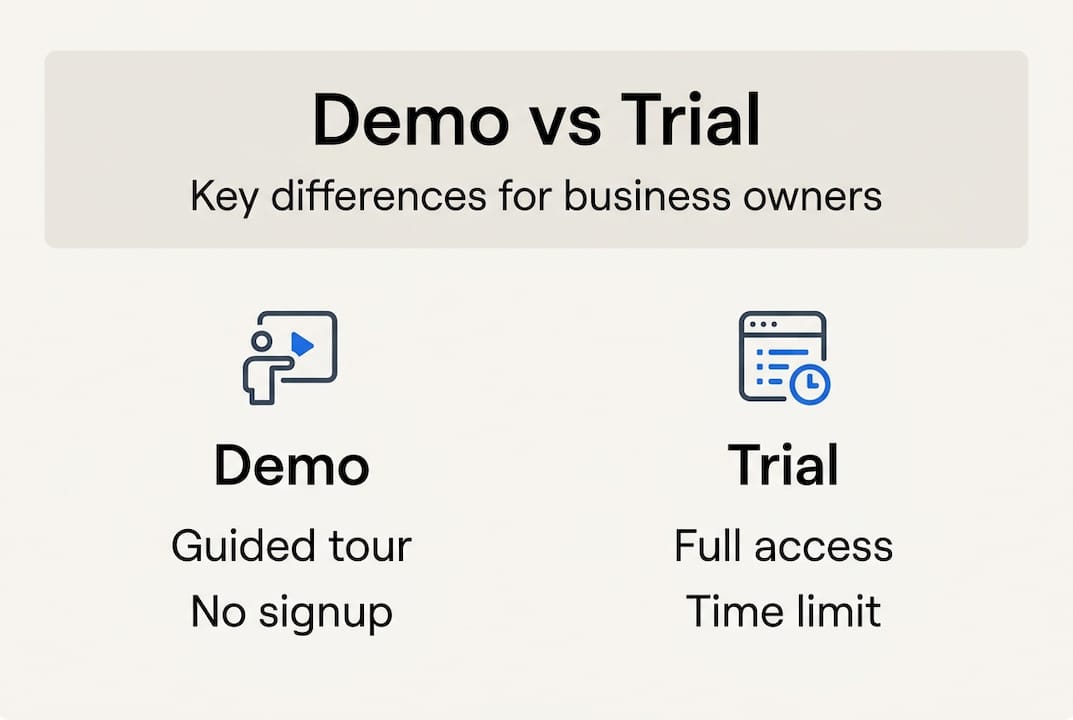
A free trial gives you full access to the platform for a limited time, usually 7 to 30 days. You can build a real site, test every feature, and see how it performs under real conditions. The catch? Once the trial ends, you either pay or lose access.
A freemium plan offers ongoing free access, but with significant limitations. You might get basic templates, limited storage, or mandatory branding from the platform. Freemium is fine for personal projects, but it's risky for businesses that need a professional appearance.
Here's a quick comparison:
| Model | Access Level | Time Limit | Signup Required | Best For |
|---|---|---|---|---|
| Demo | Preview only | None | No | Initial orientation |
| Free Trial | Full access | 7-30 days | Yes | Real testing |
| Freemium | Limited features | Ongoing | Yes | Extended exploration |
Pro Tip: Start with a demo to see if the platform feels right. If it does, move to a free trial to test it under real conditions. Save freemium for platforms you want to explore long-term without commitment.
When you're evaluating small business web services, knowing which model fits your timeline and budget makes the decision process faster and less stressful. For more guidance on choosing the right approach, check out affordable web design tips that break down common pitfalls and smart strategies.
Why try a free website demo for your Lubbock business?
A demo highlights value quickly without requiring signup, which is perfect for budget-conscious business owners who want to minimize risk. You're not committing time, money, or personal information. You're simply exploring whether a platform can meet your needs.
Here's why demos matter:
- No obligation. You can walk away at any time without canceling a subscription or deleting an account.
- See real features in action. Marketing pages promise a lot. Demos show you what's actually there.
- Get inspired by design options. You'll see templates and layouts specific to your industry, which helps you visualize your own site.
- Shorten research time. Instead of reading reviews and comparing feature lists, you see the platform firsthand in minutes.
- Test user-friendliness. If the demo feels confusing, the actual platform will too. Better to find out now.
Small business owners in Lubbock often juggle multiple responsibilities. You don't have time to waste on platforms that don't fit. A demo lets you make faster decisions with confidence.
For example, if you're considering Lubbock SEO examples to understand what's possible, a demo shows you how SEO tools are integrated into the platform. You'll see whether optimization is automatic or requires manual setup. That insight alone can save you hours of frustration later.
Understanding the broader business website benefits also helps you evaluate whether a platform supports your long-term goals, from lead generation to customer trust.
What to expect during a free website demo
Ready to request a demo? Here's the typical process, step by step:
- Request the demo. Fill out a short form with your name, email, and business type. Some platforms offer instant access to a pre-recorded demo. Others schedule a live session.
- Attend the demo. If it's live, you'll join a video call or screen share. If it's pre-recorded, you'll watch a video or click through an interactive tour.
- See key features. The demo will showcase navigation, design tools, editing options, mobile responsiveness, and basic SEO settings.
- Ask questions. Live demos let you ask about customization, ongoing costs, support, and integrations. Pre-recorded demos often include a follow-up email where you can submit questions.
- Follow up. After the demo, you'll usually receive a summary email with links to pricing, support resources, and next steps.
Demos typically last 15 to 30 minutes. That's enough time to see the platform's core features without overwhelming you with details.
Here's what you should ask during a demo:
| Question | Why It Matters |
|---|---|
| Can I customize templates? | Ensures your site reflects your brand |
| What are ongoing costs? | Avoids surprise fees later |
| Is support included? | Critical for troubleshooting |
| How does mobile view work? | Most visitors use phones |
| Can I add features later? | Ensures scalability |
Understanding small business website essentials before your demo helps you ask smarter questions and evaluate whether the platform covers the basics.
Limitations and pitfalls of free website demos
Demos are helpful, but they come with limits. Knowing what to watch for helps you evaluate platforms realistically and avoid surprises later.
Some demos only showcase basic features. The version you see might not reflect the paid product fully. For example, advanced SEO tools, e-commerce integrations, or custom code options might be hidden during the demo. Always ask what's included in the plan you're considering.
Branding, ads, or design options may be limited in demo mode. If you're watching a pre-recorded demo, you might not see how the platform handles your specific industry or use case. Live demos are better for personalized insights.
Be cautious of high-pressure sales tactics after a demo. Some companies use demos as a lead generation tool, following up with aggressive sales calls or emails. If you're not ready to commit, make that clear upfront.
Don't build your whole online strategy on a demo alone. A demo is a preview, not a substitute for hands-on testing. If you're serious about a platform, move to a free trial or freemium plan to see how it performs under real conditions.
Pro Tip: If a demo feels too polished or scripted, ask to see a live example of a site built on the platform. Real examples reveal limitations that demos often gloss over.
Free plans are risky for businesses due to feature limits and branding. If you're relying on a free option long-term, you might end up with a site that looks unprofessional or lacks critical functionality. For more on this, read about DIY site builder risks and why cutting corners can hurt your credibility.
Get expert help with your business website
Free website demos are a smart first step. They help you explore platforms, compare features, and make informed decisions without risk. But once you've seen what's possible, the next question is: how do you turn that preview into a real, functional website that drives results?
That's where expert guidance makes all the difference. Digital Biz Agent specializes in helping Lubbock small businesses launch professional, mobile-responsive websites without the hassle or high costs of traditional agencies. We handle everything from design to hosting, so you can focus on running your business.

Our affordable website services start at $25 per month for landing pages and $50 per month for full websites. We offer free initial demos, bilingual support, and a streamlined three-step process: understand your needs, design for free, and launch with ongoing management. Whether you're starting from scratch or upgrading an outdated site, we make the process simple and stress-free.
Avoiding common marketing mistakes is easier when you have a partner who understands your goals. We've worked with local entrepreneurs across industries, and we know what it takes to build a site that attracts customers and builds trust. Learn more about why small business websites matter and how the right online presence can transform your business.
Frequently asked questions
Is a free website demo really free and risk-free?
Yes. A genuine website demo lets you explore a platform's features without payment or commitment. You're not signing up for anything, and you can walk away at any time.
Do I have to talk to a salesperson during a demo?
Not always. Many demos are available as self-paced online tours, but live versions may connect you with a specialist for personalized questions. Choose the format that fits your comfort level.
Can I build my complete website with a demo?
No. A demo is a guided tour, not full access. To fully build and launch, you'll need to upgrade or choose a paid plan.
What if I want to try building my site before paying?
Look for platforms with a free trial or freemium plan for hands-on building before paying. Trials give you 7 to 30 days of full access, while freemium offers limited features indefinitely.